Texting College Students: The Complete Guide for 2026

How to text college students so they keep answering: consent and opt-out, how often, timing and quiet hours, a voice students reply to, what to text each week, reading replies, safety, privacy and what to measure.
Key takeaways
- Texting works because a text can be read in seconds and answered with one letter. Keep texts few, short and two-way, and that advantage lasts all year.
- Set one texting budget for the whole campus, a few texts a week at most, with a shared send calendar so offices don't land on the same student the same evening.
- Send inside windows students choose, usually the evening before the thing that matters, and never in quiet hours.
- Decide before launch who reads replies, how fast each kind gets an answer, and how safety language reaches a person at any hour.
- Measure weekly reply rate, opt-outs per message, actions taken and unanswered replies, not deliveries or opens.
Texting college students works because a text can be read in ten seconds and answered with one letter. "there's a hold on your account that blocks spring registration. the one stop can clear it, want their hours?" gets read the day it's sent. The same news in a campus email sits under a dining newsletter and two club digests until the student finds it after her registration time has passed.
The harder part is keeping it that way. A text channel can be used up: send too often, from too many offices, at the wrong hours, with nobody reading the replies, and students start treating it like email.
Why texting students works when email doesn't
Students read texts because texts still feel like they come from people: short, from a sender the student recognizes, asking for something small. Campus email feels like the opposite, and students sort it accordingly. We take the email side apart in why students don't read email.
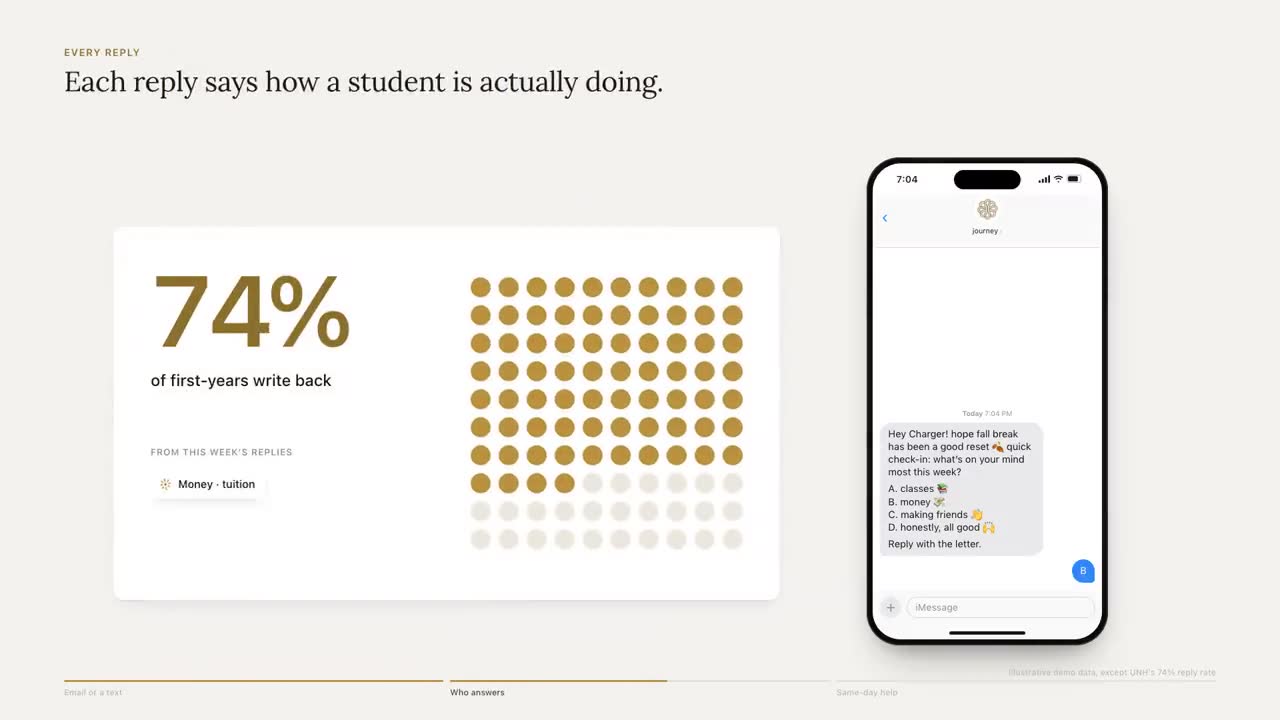
The reply is worth more than the read. A student who gets "is the hold sorted?" with three lettered answers underneath can answer from the lock screen on the way to class, and that answer may be the first real signal you've had from her all term. Everything else in this guide protects it: texts rare enough to feel personal, short enough to answer, and two-way enough that answering leads somewhere.
Consent, opt-out and the rules to check with counsel
Before the first message goes out, settle four things.
- Where the number comes from, and what the student agreed to. A mobile number on the admissions record may not cover every kind of text you plan to send, and carriers expect you to show how people opted in when you register. Ask plainly, in a place students already fill in: orientation registration, the housing form, or a keyword they text to join. Keep a record of when and how each student agreed.
- What the first text says. Who it's from, why they're getting it, roughly how often, and how to stop. "hi, it's journey, texting for the student success office. a few texts a week about your goals and campus stuff. reply STOP anytime." A student who can't tell who's texting is likely to ignore it or report it as spam.
- How opting out works. STOP ends it the first time, with one confirmation and no "are you sure?" Honor the other words students use too: the FCC's rules treat replies such as stop, quit, end, revoke, opt out, cancel and unsubscribe as withdrawing consent. A pause option keeps students who just need a quiet week from leaving for good. In Journey: Students can text STOP at any time to opt out, or PAUSE to take a week off. A plain "stop texting me" works too.
- Who registers the sender. In the US, carriers require organizations that send automated texts from an ordinary ten-digit number to register who they are and what they send (A2P 10DLC registration); toll-free numbers and short codes have their own vetting. Since early 2025 the major carriers have blocked unregistered ten-digit traffic outright, and registered messages still get filtered when they look like spam. Either way, it looks exactly like students ignoring you.
Federal rules on automated calls and texts (the TCPA and the FCC's rules under it), state laws that add their own limits, and FERPA's rules on student records can all bear on a campus texting program. How they apply depends on who sends, what the messages are about and what students agreed to, and parts of the opt-out rules the FCC adopted in 2024 have since been delayed and reconsidered, so check the current version. None of this is legal advice. Take your plan to counsel before launch, and read consent, opt-out and quiet hours and FERPA and texting students first.
How often to text college students
Past a few messages a week, students start muting the thread or sending STOP, and the channel turns into email with a buzz. The fix is a budget for the whole campus, not a limit per office, because the student doesn't care which office sent the fourth text on a Tuesday.
| Kind of text | Suggested budget | Notes |
|---|---|---|
| A deadline that blocks something (a hold, registration, an aid document) | Two per deadline at most | A week out, then two days out. Only to students it applies to |
| A check-in or pulse question | Once a week or less | One question, lettered choices |
| A nudge toward a goal the student picked | One or two a week | Built from their words, not a template |
| An event invitation | Rarely, and only matched to stated interests | The fastest way to teach students to ignore you |
| Answers to a student's own question | No limit | They wrote first |
Two practical rules keep the budget honest. Keep one shared send calendar, so financial aid and Res Life don't land on the same student the same evening. And check each queued message against what the student already received, so a reminder sent by one system isn't sent again by another. We go deeper in why a few texts a week beats a few a day and how Journey holds a nudge a student already got. Journey's own limit is a few texts a week, inside the windows the student chooses, with no more than one proactive text in a day.
Timing, windows and quiet hours
A 7:30 AM reminder to a student who closes at a restaurant three nights a week is a text she'll read at noon, if at all. Ask students when they want to hear from you, and send inside those windows.
| Moment | When to send | Why |
|---|---|---|
| An advising or tutoring appointment | Early evening, the day before | Time to plan the day around it. A morning-of reminder for a 9 AM slot arrives too late to matter |
| A deadline (withdrawal, an aid document) | A week before, then two days before | The first gives room to act; the second catches the procrastinators |
| A midterm or final | The evening before, inside the student's window | Encouragement and one concrete move. Nothing the morning of unless they asked |
| An event | That afternoon | It catches students while they're deciding what to do tonight |
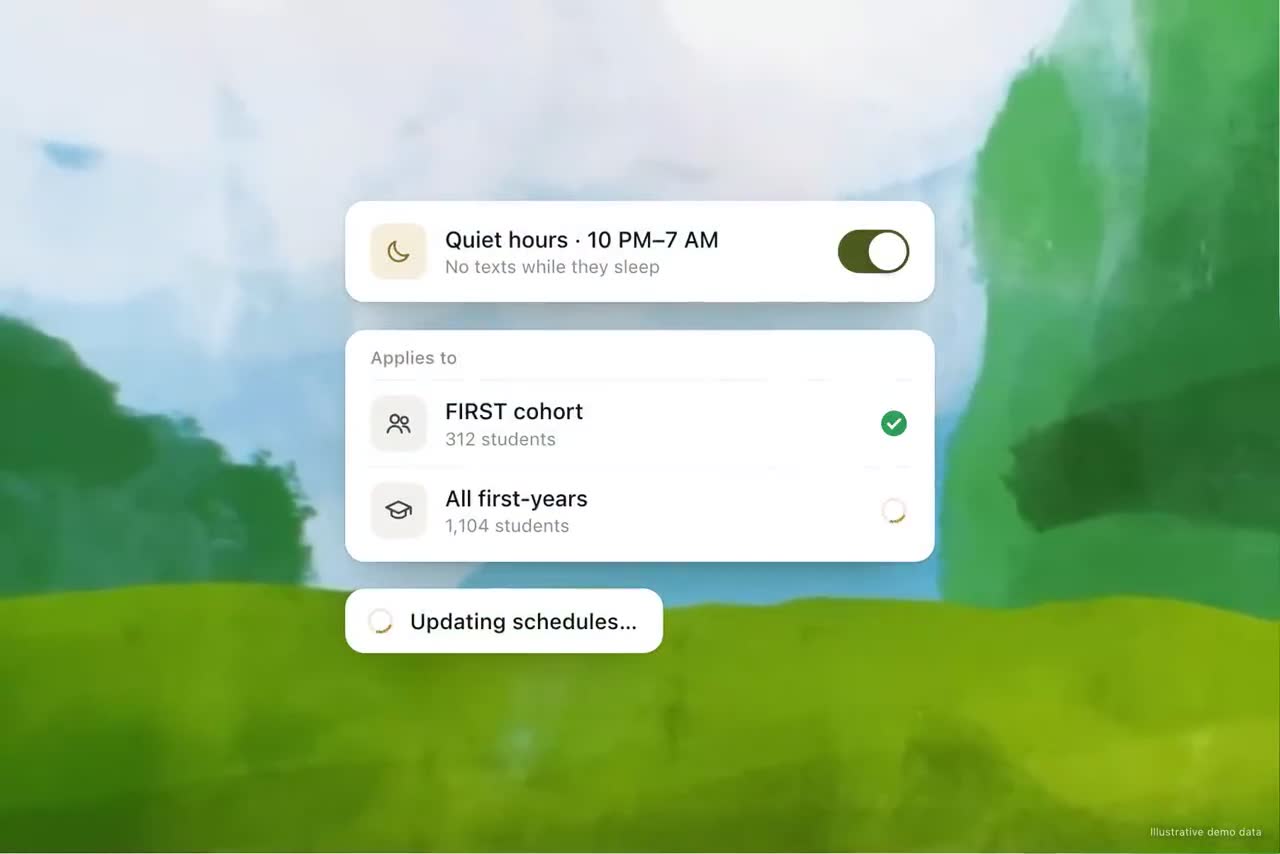
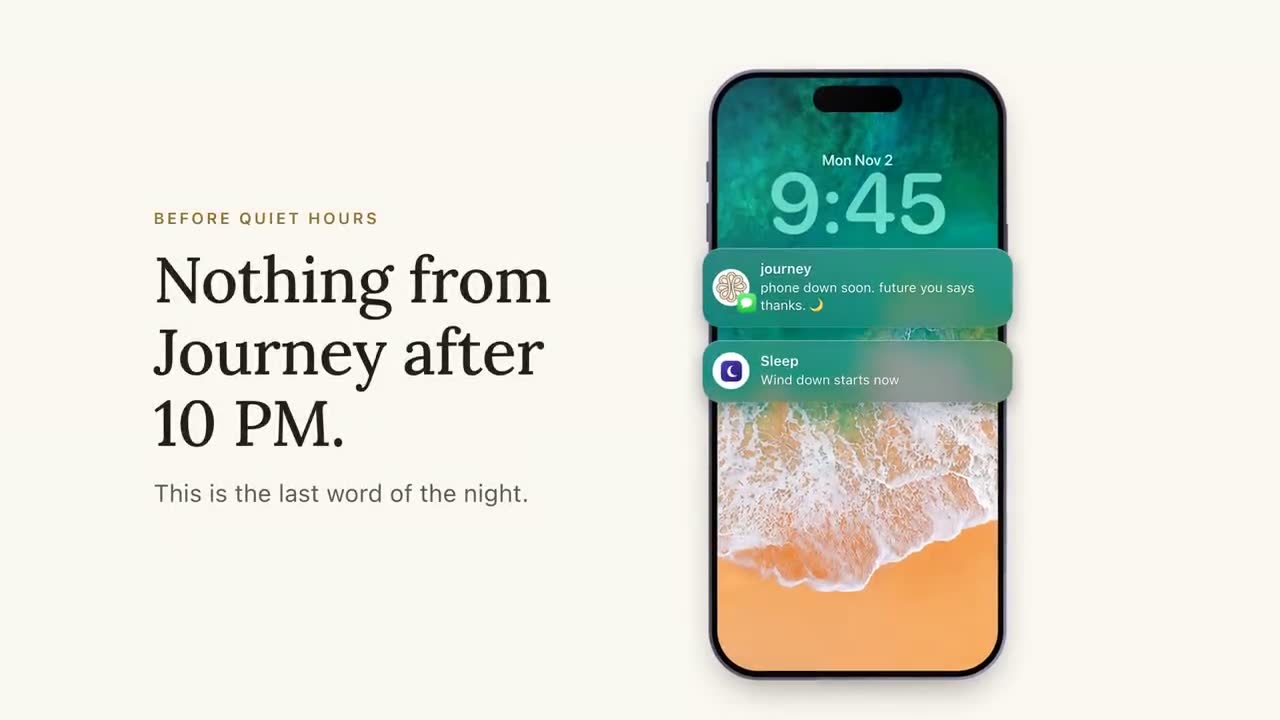
Then set quiet hours, for example 10 PM to 7 AM in the student's own time zone, and never schedule into them. Remember online students and anyone studying abroad. Quiet hours apply to what you start. A student who texts at 1 AM wrote first and should get a reply, and safety language at any hour goes to people.
Class times sharpen it further. A Journey student can text a screenshot of her class timetable, and from then on her nudges move out of class times; nothing is sent during a class. She can also change the timing in plain words ("can my nudges come at 7pm", "only 2 nudges a week", "pause my nudges for a week"), and every change is said back to her. For how a message gets checked before it goes, see every nudge is checked before it sends.
Two-way texting versus mass texting
A blast is one message to many students with "reply STOP to opt out" at the bottom: the campus email habit moved to a faster channel. Students learn quickly that nobody's on the other end. Two-way texting means every reply gets read and answered, which is the point of the channel and the part that takes work.
Do the arithmetic before launch. If a check-in goes to 1,000 students and a third reply within the hour, that's over 300 messages at once (illustrative numbers). Some are "good thanks", some are "where's the registrar", and a few are "i don't think i can do this anymore". Every one has to be read, campus questions answered accurately, and the serious ones sent to a person quickly.
That's where AI earns its keep: answering the questions that have answers (hours, locations, which office handles what) from a campus resource base, and handing anything that needs judgment to a person. We set out which questions belong to which in AI or advisor, what to look for in a tool in AI chatbots for universities, and how the resource base gets built in building a campus knowledge base students can text.
Writing texts students answer
Most texts that fail were written as emails first. A few rules fix most of them:
- One ask per text. If there are two, send the more urgent one.
- Offer lettered choices. Two or three options under the question, each on its own line, turn a reply into one character.
- Be specific. "calc tutoring is open till 9 tonight, 2nd floor of the library" beats "academic support resources are available".
- Size the action to tonight. Not "improve your study habits". One block of 25 minutes on the hardest thing.
- Sound like a person. No "Dear Student", no capitals for urgency. Lowercase reads as a peer, which is why Journey texts in lowercase.
- Keep it short. Up to 160 plain characters fits in one SMS segment. An emoji, or a curly quote your provider doesn't swap for a straight one, moves the whole message to an encoding that fits only 70, and longer texts split into several segments. That matters when you pay per segment.
The same rules hold when a student brings a problem.
 Journey
Text Message
Wed 8:10 PM
i keep picking up my phone instead of studying
try 25-minute blocks with a 5-minute social media break in between. ready to give that a shot?
A real Journey thread, shortened, with details changed so the student can't be identified.
No lecture about screen time and no link to a wellness page. One specific move the size of one evening, a break that admits the phone isn't going anywhere, and a question that's easy to say yes to. More on the craft in how we write a nudge.
What to text about across the term
Plan the term before it starts, and leave room for what students bring up. A sketch for a fifteen-week fall semester:
| When | Moment | What to text about |
|---|---|---|
| Before classes | The welcome | Who's texting, picking goals and a time window, "text me anything about campus" |
| Weeks 1 to 2 | Add/drop, finding things | "happy with your schedule?", where the one stop and tutoring are, a tech check |
| Weeks 3 to 5 | The first hard week, first grades | A pulse check, how the first quiz went, tutoring and office hours |
| Weeks 6 to 9 | Midterms, the slump | Evening-before nudges, check-ins for students who've gone quiet, the withdrawal deadline |
| Weeks 9 to 12 | Advising and registration | Holds, booking advising, registration time and backup sections |
| Weeks 12 to 15 | Aid for next year, finals | Aid renewal steps, finals week support, plans for the break |
Each row has its own article: the first six weeks, the midterm slump, the last day to withdraw, registration holds, financial aid reminders and finals week. For turning the table into scheduled sequences, see campaigns planned around your calendar, and for the weekly question itself, pulse checks by text.
Reading replies and getting students to a person
Every reply is information. Sort it two ways: by theme (money, coursework, wellbeing, belonging, logistics) and by urgency (answer now, a person this week, a person right away). Then decide who handles each kind before the first message goes out.
- Campus questions ("when does the dining hall close on saturday") can be answered in minutes from a resource base, if the details in it are current.
- Anything about the student's own record or a decision (a hold, dropping a course, transferring) goes to the office that owns it, with a one-tap way to book and, with the student's consent, the context so they don't tell the story twice.
- Anything that sounds like distress goes to people immediately, through the escalation path below.
A referral isn't the end. Check back after the appointment to ask whether it happened and whether it helped. That step is the heart of closing the loop on early alerts and routing referrals to the right office. Staff should see themes and status, not transcripts; we explain why in the map, not the diary, and how a team works the list each week in a 30-minute CARE team review.
Safety and privacy
Students will text things at 1 AM they would never put in an email, so you need a written escalation process before launch: what language triggers it, who is on call after hours, when campus police or 988 is the right path, and how the student is told what happens next. Test it with made-up messages before real ones arrive. Journey is not a crisis line: when a message raises a safety concern, it surfaces the right human path (counseling, 988, the on-call staff your team names) and follows the escalation process set up with your campus. Read crisis language, 988 and escalation and mental health support by text before you set it up.
On privacy, assume a roommate can see the lock screen. Point to the thing ("there's a hold on your account") without the detail (the balance, the grade). Decide who on staff can read full threads and who sees only themes, and put it in writing. Your IT and procurement teams will ask about data handling, retention and access; the security review lists the questions. Journey processes student data only under a written agreement with the institution, as a school official with a legitimate educational interest, and SOC 2 certification is in progress.
Texting students with Journey
Journey does most of what this guide describes, so your staff can spend their time on the replies that need a person. A student signs up by text in about 90 seconds, ranking her goals and saying when nudges should arrive. Nudges are built from her own words, a few a week, inside her windows. She can ask anything about campus and get an answer from your resource base; where Journey doesn't know, it says so and points her to someone who does. Journey reads every reply for what it's about and how soon someone should see it. A message showing a student in crisis gets an immediate reply with 988 and campus health and wellness while your team is alerted, and a student who texts "talk" is told a staff member will reach out. Follow-up nudges that AI drafts are approved by your staff in Slack before they go out. Nothing to install, no new password.
In a typical week of the University of New Haven pilot, 74% of students replied to Journey or acted on a nudge. See how Journey works or the full results.
What to measure, and the mistakes to avoid
Delivery and open counts tell you the carrier did its job. These tell you whether yours worked:
- Weekly reply rate. The share of students who replied at least once that week. Watch the trend across the term more than any single number.
- Opt-outs per message. A spike after one send means that message was wrong in topic, timing or tone.
- Action rate. The share who did what the text was for: booked the appointment, cleared the hold, went to tutoring.
- Time to a person. From a reply that needs staff to a staff member's first response.
- Unanswered questions. Replies that needed an answer and didn't get one. This should be zero; a question left hanging teaches the student not to bother. A plain "thanks" or "ok" needs no reply, and Journey deliberately leaves those alone.
For building these into a dashboard, see student engagement metrics that mean something.
Two mistakes not covered above do as much damage as any: texting the email ("please check your student email for an important message") instead of putting the one action in the text, and linking to a portal that needs a login and two-factor approval on a phone instead of to the exact page.
Start small. One cohort, one term, a handful of messages planned against the calendar, and someone reading every reply. How to run a one-semester pilot walks through the setup. By midterms you'll know whether students answer, and what they say when they do.
Frequently asked questions
Is it legal for a university to text students?
Generally it can be, with care. Federal rules on automated texts, state laws and FERPA can all apply, depending on who sends, what the messages are about and what students agreed to. Get clear consent, honor STOP the first time, and take your plan to your own counsel before launch.
How often should colleges text students?
A few texts a week at most, counted across every office rather than per office. Deadline reminders, check-ins and nudges all come out of the same budget. Answers to a student's own questions don't count against it.
What time of day should you text college students?
Inside windows the student chooses, and usually the evening before the thing that matters: an appointment, an exam, a deadline. Set quiet hours, for example 10 PM to 7 AM in the student's own time zone, and never schedule into them.
What's the difference between mass texting and two-way texting students?
Mass texting sends one message to many students and rarely reads the replies. Two-way texting means every reply is read and answered, campus questions get accurate answers, and anything serious reaches a person. Students stop answering a channel where nobody answers back.
What should a university's first text to a student say?
Who it's from, why the student is getting it, roughly how often texts will come and how to stop. Then ask something easy to answer, ideally built from what the student told you they're working on.