The Map, Not the Diary: What Staff See and What They Don't

Staff see who needs a person, each student's themes and how urgent it is, not students' messages. Why we drew the line there, when a student's words do reach a person, and what to ask any texting vendor about staff access.
Key takeaways
- In Journey, staff see who needs attention, each student's themes, how urgent each situation is and their own notes. The dashboard doesn't show students' messages.
- Students write openly when the thread is private. A student who suspects staff read every message is likely to write less, or stop.
- A student's own words reach a person only on deliberate paths, chiefly when the student agrees to a handoff or a message raises a safety concern.
- Ask any vendor who can read messages, on their side and yours, whether it's logged, and how consent for a handoff works.
Can my staff read the students' texts? It comes up in most of our first conversations with a campus, often from the dean of students or the counseling director. The answer is no, by design. Staff see the map: who needs a person, what each student's situation is about, and how urgent it is. The diary stays with the student. This note covers what student success staff can and can't see in a texting platform like ours, why we drew the line there, and when a student's own words do reach a person.
What staff see, and what they don't
| In the partner dashboard | Visible to staff? |
|---|---|
| The short list of students who need a person's attention now | Yes, at the top |
| Each student's themes, such as "struggling with chemistry, third week running" | Yes |
| How urgent each student's situation is | Yes |
| Notes staff add after meeting a student | Yes, in the student's record |
| The student's own messages | No, unless the student agrees to a handoff |
| A message with safety language | It goes to people, through the escalation process your campus sets |
A theme is a sentence about the student's situation, not a quotation from it. "Money stress, rent due" tells an advisor what to bring up. It doesn't tell them what the student said about their parents.
Why we drew the line there
Students tell Journey things they wouldn't put in an email to the dean's office: that the roommate situation is bad, that money is short this month, that they've been looking at transfer applications. They say those things because the thread feels private, and we keep it that way. If students suspected their advisor read every message, many would write less, or write differently, or stop. The replies are the whole point, and trust is why they keep coming.
It's also better for staff. Nobody on a retention team has time to read hundreds of threads, and the people who try end up skimming for alarm words. A theme with an urgency attached is something you can act on between appointments. A transcript is something you feel guilty about not reading.
When a student's words do reach a person
Only on deliberate paths. The two that matter most:
The student agrees to a handoff. When a student wants help from a particular person, their words can go to that person with their consent, so they don't have to tell the story twice. Consent comes before any handoff of a student's words; that's how Journey works now. The finer version, where a student says "you can share this with my advisor" and exactly that one message goes to the advisor and nothing else does, appears in our demos and is still being built.
Safety. Journey is not a crisis line: when a message raises a safety concern, it surfaces the right human path (counseling, 988, the on-call staff your team names) and follows the escalation process set up with your campus. A privacy design that hid a safety concern from the people trained to respond would be a failure, however private it looked.
Each office sees its own students
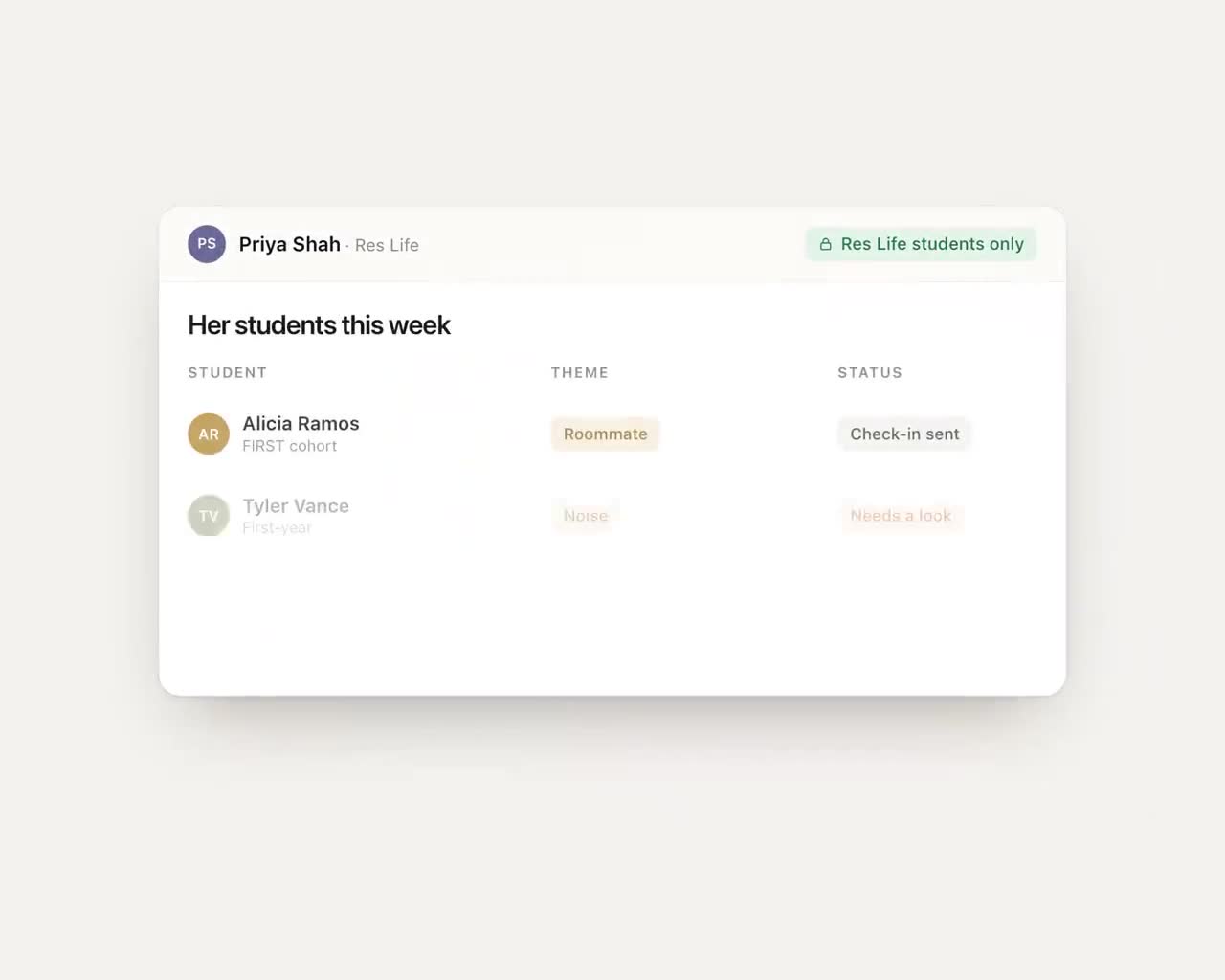
Even themes shouldn't go to everyone. A residence life coordinator needs to know about her residents, not the whole first-year class, and a financial aid counselor doesn't need a student's academic themes to help with a verification form. The principle we design to: each person sees the students their office serves, and no staff role, however senior, includes reading students' own words.
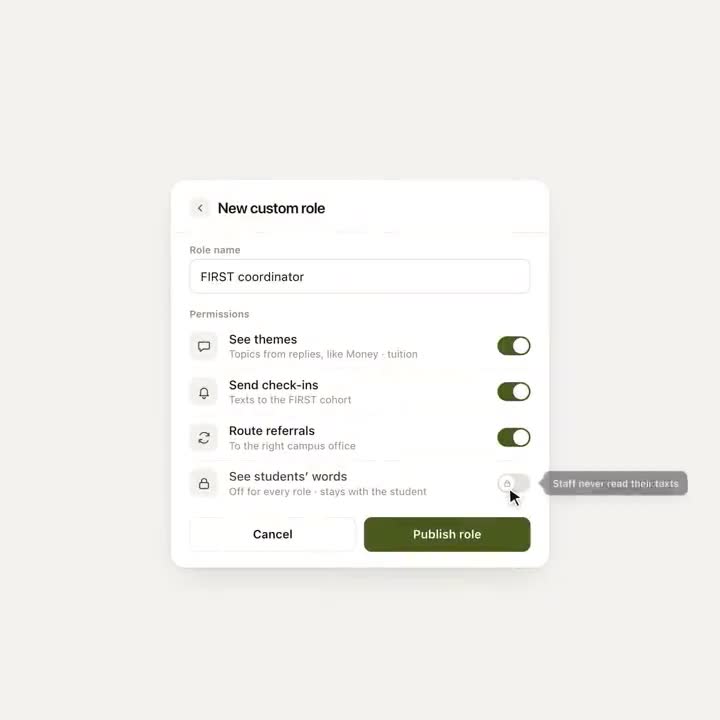
Roles are the same idea from the other direction. A program coordinator might need to see themes, send check-ins and route referrals for a first-generation cohort. Reading students' words stays off, for that role and every other.
Questions to ask any vendor about staff access
- Can our staff read students' messages? Which staff, and when?
- Who at your company can read them, for what purpose, and is that access logged?
- How does a student consent to sharing their words, and what happens if they say no?
- What happens when a message contains safety language at 2 AM?
- Can access be limited by office or role?
- Under what agreement do you process student data, and how long do you keep it?
On the agreement, here's ours: Journey processes student data only under a written agreement with the institution, as a school official with a legitimate educational interest, and SOC 2 certification is in progress. Your counsel should read the agreement itself, because FERPA questions are theirs to answer, not a vendor's. Our guide to FERPA and texting students covers the general terms, and the security review covers what IT will ask.
A map tells you where to go. A diary tells you everything. Staff need the first, the second belongs to the student, and students who trust that keep writing back.
Frequently asked questions
Can university staff read students' text messages in Journey?
No. Staff see themes and urgency, not transcripts. A student's own words go to a staff member when the student agrees to a handoff, and messages with safety language follow the escalation process the campus sets.
What should staff be able to see in a student texting platform?
Enough to act: which students to reach first, what each student's situation is about, how urgent it is and what's already been tried. Most staff don't need transcripts to do that, and students write more openly when they know their messages aren't being read.
What happens when a student texts something concerning about their safety?
Journey is not a crisis line: when a message raises a safety concern, it surfaces the right human path (counseling, 988, the on-call staff your team names) and follows the escalation process set up with your campus.
What should we ask a texting vendor about student privacy?
Ask who can read student messages, on their staff and yours, and whether that access is logged; how a student consents to sharing their words; whether access can be limited by office or role; what happens with safety language at night; and under what agreement data is processed and how long it's kept.