Campaigns: A Semester of Nudges, Planned Around Your Calendar

Journey's campaigns are sequences of scheduled nudges for a moment in the term, built from templates. How to plan one around add/drop, midterms, the withdrawal deadline and registration, and what's live versus depicted.
Key takeaways
- Build a student communication plan backwards from the academic calendar's deadlines, not from what each office wants to say.
- A handful of well-timed moments in a term beats thirty messages. Every campaign nudge still passes the same send limits, so campaigns compete for a few slots a week.
- Journey campaigns are live: start from a template, schedule the nudges, enroll students, and pause or archive the campaign as the term changes.
- The calendar import and visual campaign map in our demos aren't in the product yet; today teams set the dates as they schedule each nudge.
- Give one person every campaign on one calendar, so offices settle conflicts before students tune out.
Three offices, one student, one week. The registrar emails about the withdrawal deadline, financial aid about satisfactory academic progress, advising about midterm grades. Each office did its job. Nobody planned what it would feel like to be the student receiving all three, in an inbox she checks twice a month.
A student communication plan built on the academic calendar fixes that, and Journey's campaigns are how a team runs one by text. A campaign is a sequence of scheduled nudges for a moment in the term, such as the first six weeks, registration or finals. You start it from a template, enroll students, pause it when plans change and archive it when the moment has passed. Campaigns are live today.
Start from the calendar, not from the message
Most communication plans start with what each office wants to say. Better ones start with the dates that change what a student can do, and work backwards. Here's the skeleton most terms share. Use your registrar's dates; the weeks below are typical, not universal.
| Moment | When the nudge goes | What it asks | Who follows up |
|---|---|---|---|
| First week | Days 1 to 5 | Is anything not working yet? (lettered choices) | Advising, IT help desk, Res Life |
| Add/drop | A few days before it closes | Any changes to your schedule before it locks? | Advising |
| Early pulse check | Weeks 2 to 3 | How's the semester landing? (lettered choices) | Depends on the answer |
| Midterms | The week before exams | Which class needs a plan this week? | Tutoring, office hours |
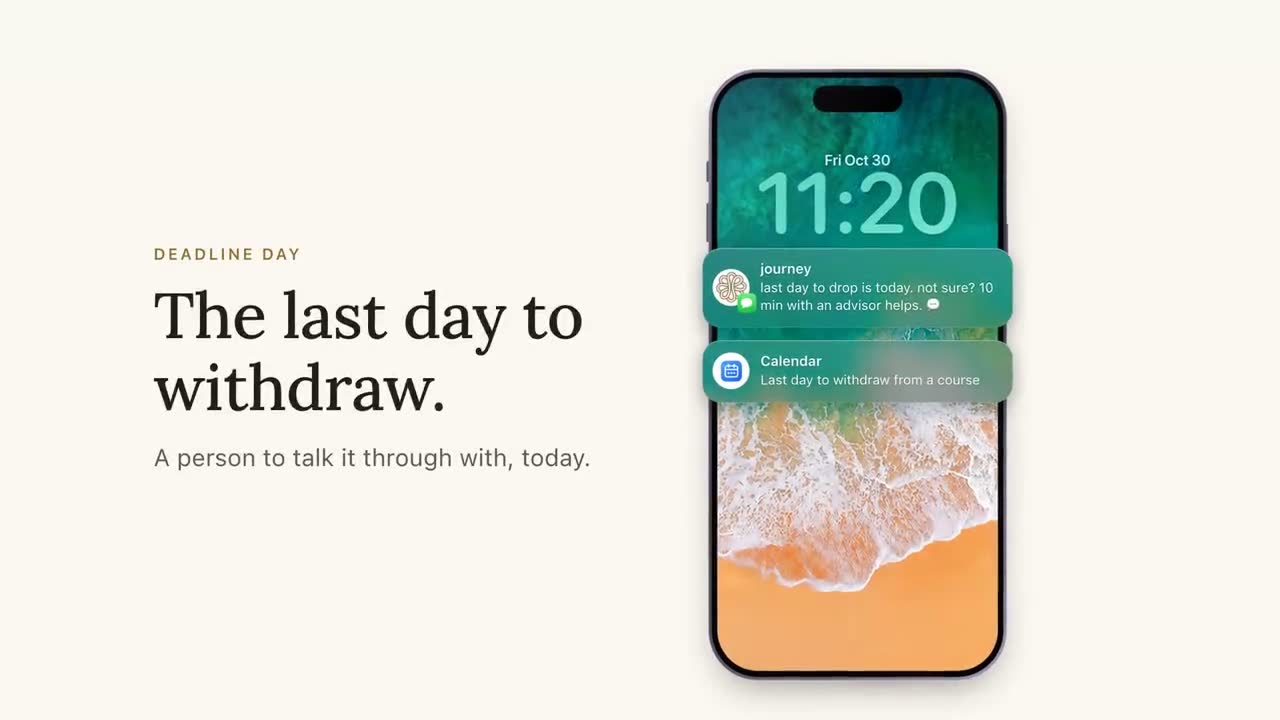
| Withdrawal deadline | About a week before | Before you drop anything, can we talk? | Advising, financial aid |
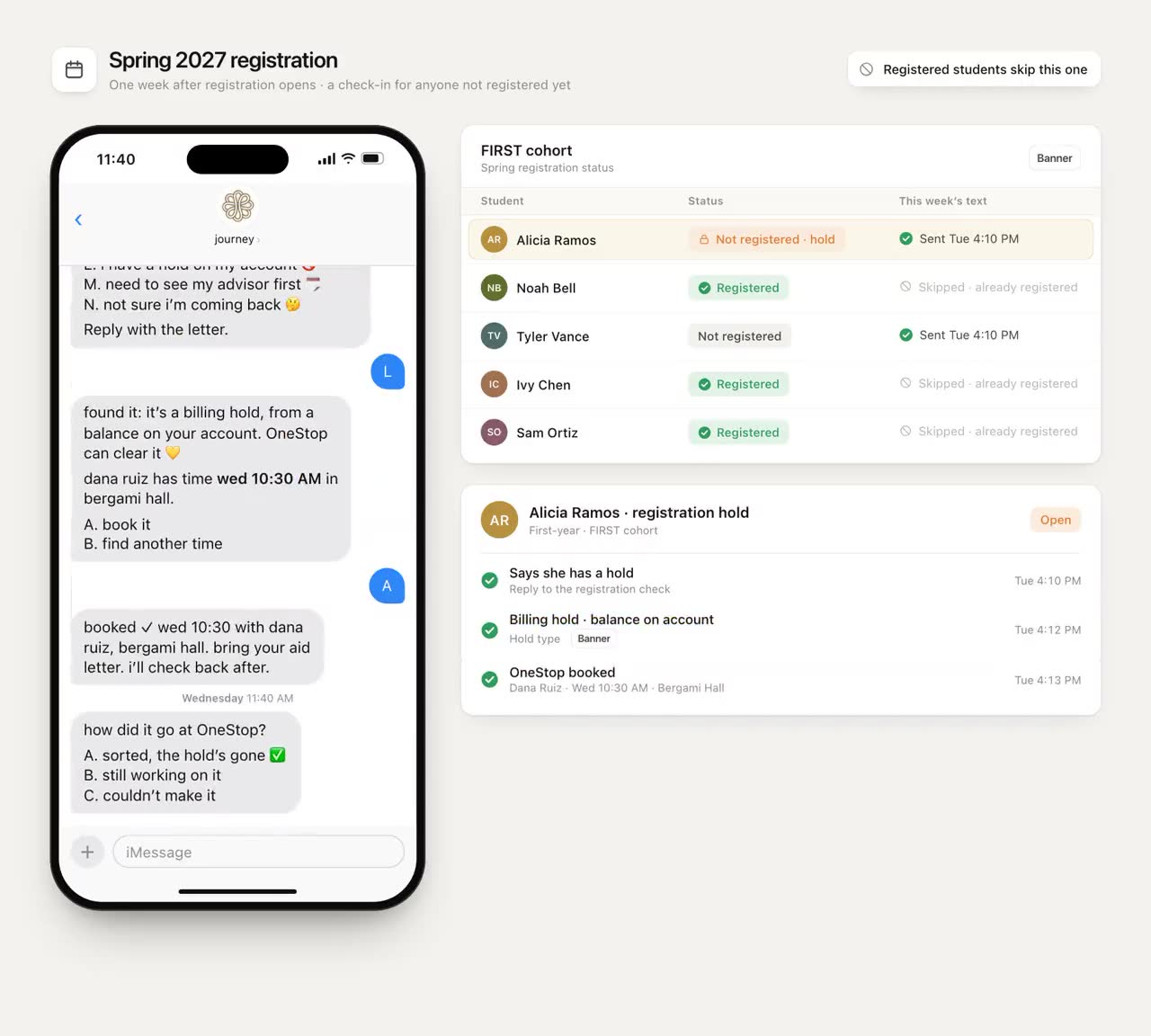
| Registration | Two to three weeks before it opens | Seen your advisor yet? Any holds? | Advising, student accounts |
| Finals | Reading days | Want help making a finals plan? | Tutoring, counseling |
Seven moments, not thirty, and each one asks about something a student can still change.
Planning a campaign, step by step
- Pull the dates. Get the term's academic calendar from the registrar: add/drop, midterm grades, the last day to withdraw, registration, reading days and finals.
- Choose the moments that change behavior. A deadline a student can still act on beats an announcement she can't. Cut anything that is only information.
- Write one nudge per moment. One action, one easy reply, lettered choices where there's a question. Short and lowercase, the way students text.
- Decide who follows up on each answer. If she answers "c" to the pulse check, name the person or office that reaches out, and how quickly.
- Enroll the students. A cohort, a residence hall, everyone in gateway math. Start with one group you know well.
- Pause when the term changes. A deadline moves, a storm closes campus, a crisis means this isn't the week for a cheerful registration reminder. Pause the campaign until it fits the week again.
- Archive and reuse. At the end of term, archive the campaign and use what worked as next term's starting point, with new dates.
Every nudge in a campaign still passes the same checks as any other: the student's own windows, never during a class, quiet hours, no more than one proactive text a day and a few a week, and a hold on anything she already received. That's covered in Every Nudge Is Checked Before It Sends. It also means campaigns compete with each other for a small number of slots, which is the best argument for keeping them few.
Here's one withdrawal-deadline nudge as it might play out. The student is fictional.
 Journey
Text Message
Fri 4:15 PM
last day to withdraw is next friday. before you drop anything, want to talk it through? a) yes, with my advisor b) i'm fine, staying in everything c) not sure yet
a
smart move. here's the advising link, booking takes a minute. bring the class you're worried about and your current grade.
An illustrative thread with a fictional student, from a withdrawal-deadline campaign.
What's live and what's depicted
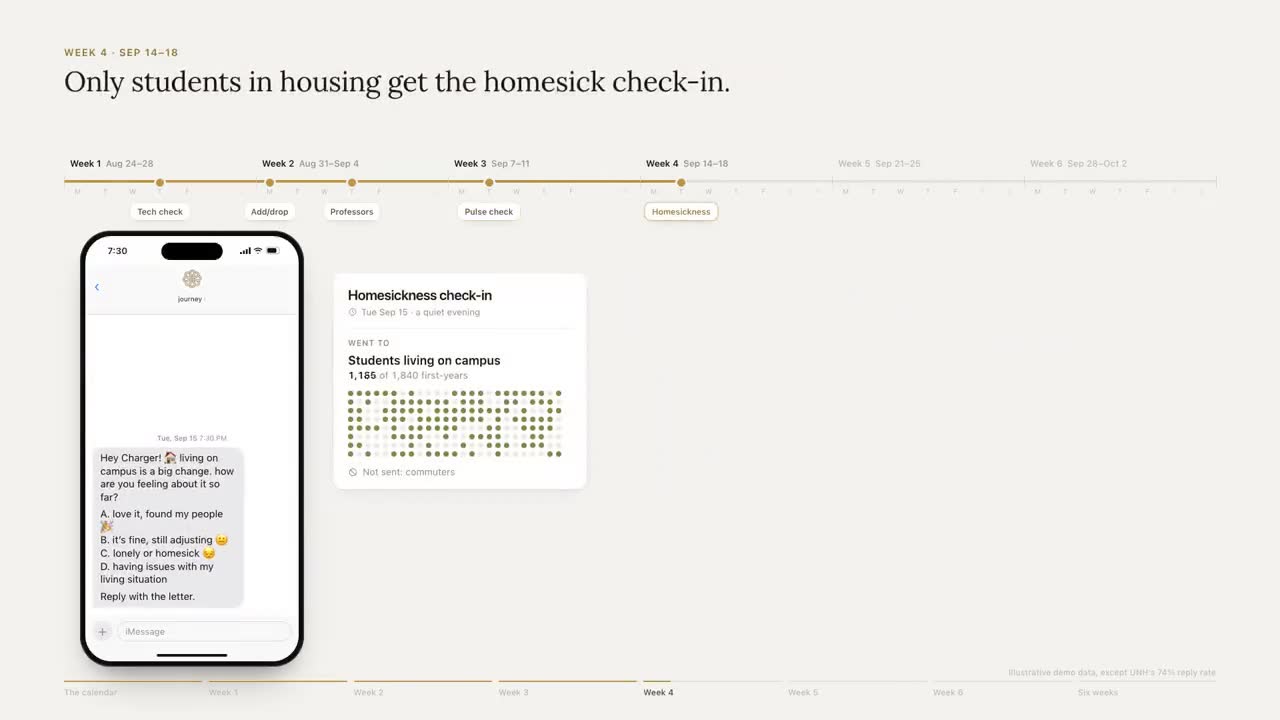
Building campaigns from templates, scheduling their nudges, enrolling students, and pausing and archiving campaigns are all live. The demo at the top of this page goes further: it imports a real fall calendar and lays every campaign on it, from the week-one tech check to finals. Neither the calendar import nor that map is in the product yet; today, your team sets the dates as it schedules each nudge.
The flow above is worth copying even on paper. It mixes Journey's texts with people, a peer mentor and then an advisor, so the sequence leads to someone she can sit down with by week three. Plan your own campaigns to end in a handoff like that, even if a staff member makes the introduction by hand.
One owner for the whole plan
Campaigns make it easy for every office to text students, which is exactly why someone has to own the whole plan. Give one person, usually in student success or the first-year office, the job of laying every campaign on one calendar before the term starts. When two offices want the same week, they decide together, before the students decide for them by tuning out.
What to measure
- Reply rate per nudge. If one step in a campaign is ignored, rewrite it or cut it.
- Actions taken. Appointments booked from the link, not texts delivered.
- Timing against the deadline. Count the withdrawal conversations that happened before the last day, not after it.
- Opt-outs and pauses by campaign. A spike tells you which sequence wore out its welcome.
Run one campaign well this term, around the deadline your advisors dread most, and you'll have next term's template and a reason to build the rest.
Frequently asked questions
What is a student communication plan?
A term-long plan of what students hear, when and from whom, built around the academic calendar. The best ones start from deadlines students can still act on, such as add/drop, the withdrawal deadline and registration, and keep the number of messages small.
When should we text students about the withdrawal deadline?
About a week before it, with a question rather than an announcement, such as whether they want to talk it through with an advisor before dropping anything. That leaves time for a conversation before the deadline passes.
How many messages should a semester communication plan include?
Fewer than most teams draft. Pick the moments that change what a student can do and cut anything that is only information. Journey limits each student to a few texts a week across all campaigns, which enforces the same discipline.
Can Journey import our academic calendar?
Not yet. Our demos show the calendar imported and every campaign mapped onto it, and that's depicted. Today, teams build campaigns from templates and schedule each nudge around their own dates.