The Security Review: What IT Will Ask a Student Texting Vendor

What higher ed IT and procurement ask a student texting vendor: the HECVAT, data flows, encryption, access, sub-processors, retention, incident response, accessibility and AI, plus what to get in writing.
Key takeaways
- Many campuses use the HECVAT, maintained by EDUCAUSE. Version 4, released in 2025, merges the old Full, Lite and On-Premise versions and adds privacy and AI questions.
- Start with a one-page data flow. Most security questions are really about it, and student replies are the row that surprises people: they can contain anything.
- SMS isn't end-to-end encrypted, so a texting program should never ask students for passwords, Social Security numbers or account numbers.
- Ask AI-specific questions: which models see student messages, whether data trains them, where answers come from and how safety language is handled.
- Get assurance status in writing and stated accurately. A SOC 2 report in hand and one in progress are different answers.
The cohort is chosen, the dean is on board and the first texts are drafted. Then IT sends the security questionnaire, and the pilot that was going to start in week one of spring is suddenly waiting on a spreadsheet nobody on the student success team knows how to answer.
It doesn't have to go that way. A higher ed vendor security review asks a fairly predictable set of questions, and a student texting tool raises a few specific ones of its own: free-text messages that can contain anything, carrier networks, and, increasingly, AI. This guide walks through what IT and procurement will ask, what good answers look like and what to get in writing, so student success leaders can start the review early and IT reviewers can focus on what matters.
What a higher ed vendor security review covers
Many institutions use the HECVAT, the Higher Education Community Vendor Assessment Toolkit, maintained by EDUCAUSE. It's a standard questionnaire that lets a vendor describe its security, privacy, accessibility and compliance practices once, in a form many campuses accept. The current version, HECVAT 4, released in 2025, folds the older Full, Lite and On-Premise versions into one and adds questions on privacy and AI. You can find it on EDUCAUSE's HECVAT page.
Not every campus uses it. Some have their own questionnaire, and some run vendor reviews through a third-party risk platform. Either way, a typical review gathers some combination of:
- A completed security questionnaire, such as the HECVAT
- Independent assurance, such as a SOC 2 report, or the vendor's status toward one
- A data processing or data protection agreement, including FERPA terms
- An accessibility conformance report, usually based on a VPAT
- A list of sub-processors, and sometimes a penetration test summary and proof of insurance
Start with the data flow
Before any questionnaire, draw the data flow on one page. Most of IT's questions are really about this picture, and drawing it together in a 30-minute call saves weeks of email.
| Data | Comes from | Who handles it | Question to settle |
|---|---|---|---|
| Name, phone, student ID | A roster export or an API | The vendor; the SMS carrier sees the phone number | Minimum fields; how the file is transferred |
| Class schedules | The registrar's export | The vendor | Needed for timing, or optional for the pilot? |
| Holds, alerts | Student records or early-alert systems | The vendor | Which fields, how often, read-only or write-back |
| Student replies | Students' phones | Carriers in transit; the vendor; possibly an AI model provider | Where stored, who reads them, how long kept |
| Staff notes and summaries | Staff and the platform | The vendor; campus staff by role | Access by role, export, retention |
The row that surprises people is student replies. You control what you send a vendor; you don't control what students text back. They'll mention health, money, family and relationships without being asked. Plan for replies as sensitive data from day one, whatever the data classification of the roster.
The questions IT will ask, and what good answers sound like
| Area | What they'll ask | A good answer sounds like |
|---|---|---|
| Encryption | Is data encrypted in transit and at rest? | Yes, with current standard protocols, and a clear account of what isn't: SMS itself travels over carrier networks and isn't end-to-end encrypted, so the program never asks students to text passwords, Social Security numbers or account numbers |
| Access control | Who at the vendor and at the campus can see student data? | Least privilege by role, multi-factor authentication for staff, single sign-on where the campus wants it, vendor staff access logged and limited |
| Sub-processors | Who else touches the data? | A written list (hosting, messaging, AI models, support tools) with what each receives, and notice before changes |
| Retention and deletion | How long is data kept, and what happens at the end? | A stated period that fits your schedule, deletion or return at termination, written confirmation, backups addressed |
| Incident response | What happens if there's a breach? | A documented plan, a notification timeline written into the contract, a named contact |
| Testing | How do you find vulnerabilities? | Regular scanning, periodic penetration testing, a way to report issues, a remediation process |
| Assurance | What independent evidence is there? | A SOC 2 report or equivalent, or an honest status and timeline if it's in progress |
| Accessibility | Can staff with disabilities use the dashboard? | An accessibility conformance report against WCAG, known gaps listed with plans. Texts themselves are plain text and work with screen readers |
If the tool touches financial aid information, expect questions tied to the Gramm-Leach-Bliley Act's Safeguards Rule, which applies to institutions that take part in federal student aid programs. Your information security office will know how your campus handles it.
The AI questions are new, and they matter
Any student texting tool that reads replies or writes answers with AI raises questions a traditional questionnaire didn't ask, and HECVAT 4 now includes some of them. Ask:
- Which models process student messages, and which companies provide them?
- Is student data used to train models, by the vendor or the model provider? What do the provider's terms say about retention?
- What gets sent to the model. Whole conversations, single messages, or summaries? With names, or without?
- Where answers come from. Are campus facts drawn from a resource base the campus checks, or from the model's general knowledge? What happens when it doesn't know?
- How safety language is handled. Is it detected and routed to people under your protocol, at any hour?
- What's logged so your team can review what the AI said and why?
Integrations and systems without APIs
Integrations are where data leaves your systems, so IT will want to know exactly how. For APIs and exports, ask for scoped credentials that can read only the fields the tool needs, a named owner on your side and a way to revoke access in one step.
Some campus systems have no API at all. A vendor may offer to work through the system's web screens the way a staff member would. That can be done carefully, and IT should ask how: a dedicated account with only the permissions you grant, each run recorded for review, the automation stopping when a screen doesn't look as expected, a person signing off on anything destructive, and testing in a non-production environment first. Our guide to legacy systems without APIs goes into the details.
What to get in writing
- A data processing agreement with FERPA terms: permitted purposes, the institution's direct control, limits on use and redisclosure
- A sub-processor list, and a commitment to notify you before it changes
- A breach notification timeline and the named contact who will call you
- Data return and deletion at termination, with written confirmation
- The vendor's current assurance status, stated accurately: report in hand, or in progress
- An accessibility conformance report for the staff-facing product
- Answers to the AI questions above, from the vendor rather than from a sales deck
Where Journey stands
Journey processes student data only under a written agreement with the institution, as a school official with a legitimate educational interest, and SOC 2 certification is in progress. We say "in progress" because that's accurate, and we'd rather you hear it from us in the first meeting than find it in row 40 of a questionnaire.
A few things about how Journey handles data that tend to come up in reviews:
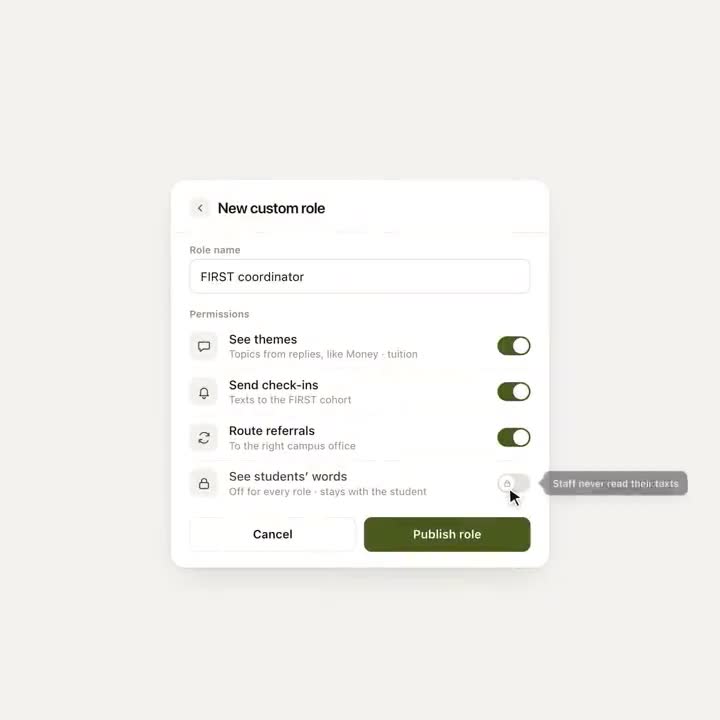
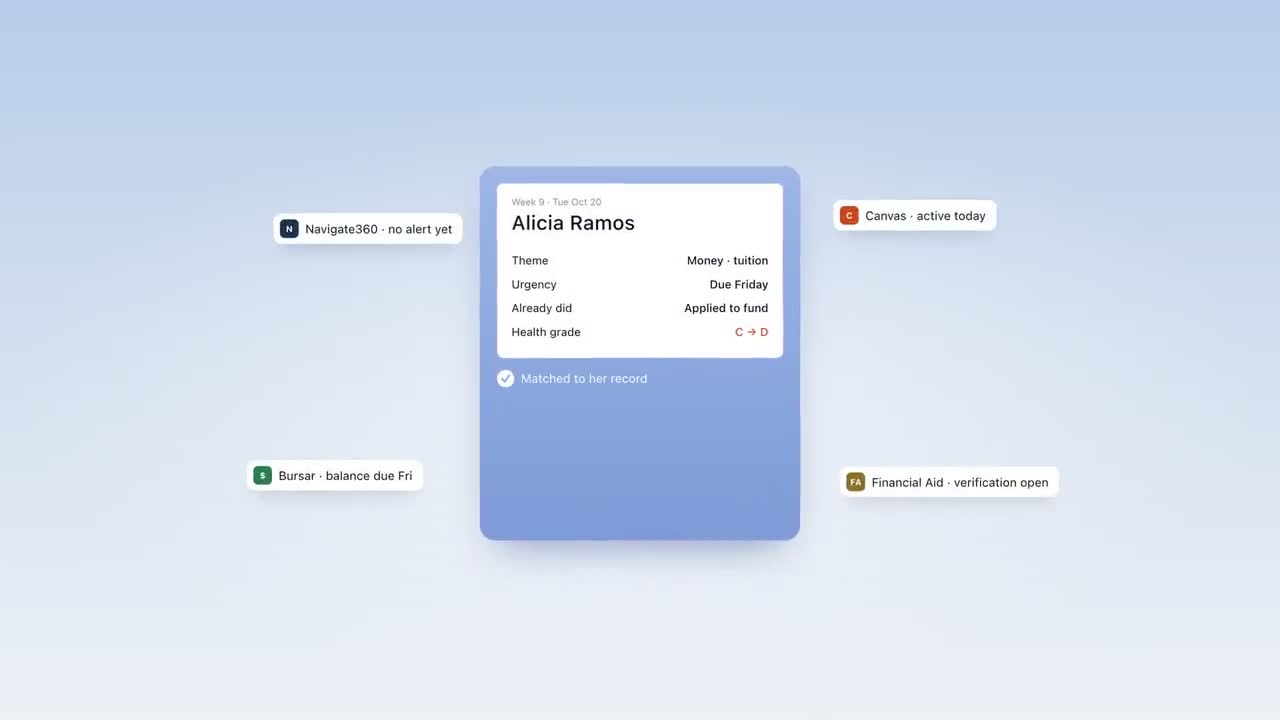
- Staff work from a partner dashboard that shows each student's themes, not transcripts of their messages.
- Staff alerts, and staff approval of the personal follow-up texts Journey drafts with AI, happen in your team's Slack today, so Slack belongs on the data flow.
- Students sign up by text. There's no app to install and no new password.
- Class times can come from a screenshot of the timetable a student texts in, so a pilot doesn't have to start with a schedule feed.
- Where a campus system has no API, the screen-based option described above is set up with your IT team during a pilot, under those controls, not switched on by default.
- Students can text STOP at any time.
Per-office access, where each staff member sees only their own office's students, isn't shipped yet, and we'll say exactly which access controls are live for your pilot. Before anything is signed, we'll walk your counsel and IT team through the data processing agreement, our security controls and our retention practices.
How to keep the review from stalling a pilot
- Start it in parallel. Send the questionnaire the week you agree to talk seriously, not after the contract is drafted.
- Scope the pilot's data down. Name, phone and schedule may be enough to start. Less data means a lighter review, and you can add fields later.
- Get one named contact on each side. Questionnaires stall in forwarding chains.
- Hold a data flow call early. Thirty minutes with the one-page diagram answers much of the questionnaire before anyone opens it.
- Agree what's blocking and what isn't. Some findings must be fixed before launch; others can be tracked with a date. Write down which is which.
A security review done well protects students, and it shouldn't feel like a hurdle to clear. Vendors who answer plainly, in writing, including about what they haven't finished, are usually the ones worth piloting. For the privacy law side of the same review, see our guide to FERPA and texting students.
Frequently asked questions
What is the HECVAT?
The Higher Education Community Vendor Assessment Toolkit is a standard security questionnaire maintained by EDUCAUSE, used by many colleges to assess vendors. HECVAT 4, released in 2025, combines the earlier versions into one and adds questions on privacy and AI.
What should IT ask a student texting vendor?
How data flows from campus systems and students' phones, how it's encrypted, who can access it, which sub-processors handle it, how long it's kept, how incidents are handled and what independent assurance exists. For AI tools, also ask which models process messages and whether student data trains them.
Does a student texting vendor need SOC 2?
Many institutions ask for a SOC 2 report or an equivalent. Ask whether it's Type I or Type II, for what period, and whether you can read it. If it's in progress, ask what stage it's at and decide what your policy requires for a pilot.
How long does a higher ed vendor security review take?
It varies by campus. Starting the review in parallel with contract talks, scoping the pilot's data down, naming one contact on each side and walking through the data flow early all keep it from stalling.
Is Journey SOC 2 certified?
Not yet. SOC 2 certification is in progress, and Journey processes student data only under a written agreement with the institution, as a school official with a legitimate educational interest.