AI in Student Success: A Practical Guide for 2026

Where AI helps student success teams today, where people have to stay in charge, the guardrails to insist on, how to test a tool with your own questions, and a first project you can finish in one term.
Key takeaways
- Two technologies share the label: predictive models that score who might leave, and language models that read replies, answer questions and draft messages. Most of the useful new work is in the second.
- AI is reliable today for reaching every student, sorting replies, answering logistics from confirmed campus details, drafting outreach for staff to edit and summarizing a cohort.
- If a wrong answer could cost a student money, credit or safety, a person makes the call.
- Test any tool against 100 of your own students' questions, graded with the offices that own the answers, and treat any miss on a safety item as a failure.
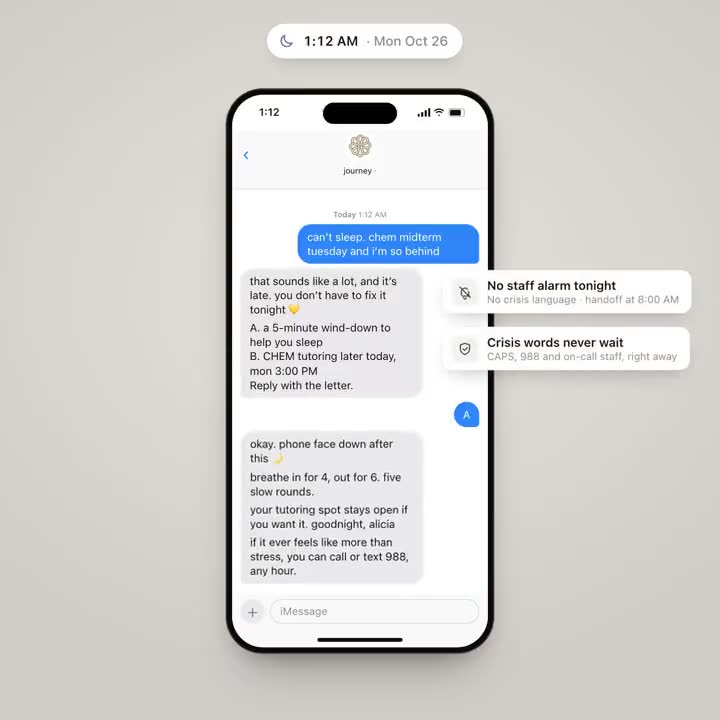
At 11:40 on a Sunday night, a first-year texts to ask whether dropping chemistry will cost her financial aid. At 8:15 the next morning, an advisor opens an inbox with sixty unread messages, a dozen of them some version of "when is the deadline". Most of what AI in student success can do well today sits between those two moments. So does most of what it shouldn't try.
What AI in student success means in 2026
Two different technologies share the label, and vendor conversations get confusing when they're mixed up.
- Predictive models score students on their likelihood of leaving, using data from the student information system and the learning management system. Many student success platforms have offered them for years. They answer "who".
- Language models read and write text. They can read a student's reply, answer a question in plain words, draft a message, or summarize what two hundred students said this week. They help with "what's going on" and "what do we say".
A risk score can tell you that a student looks like students who left in past years. It can't tell you she works three nights a week and her labs start at 8 AM. Her reply to a text can. The most useful AI work right now is in that second category: the conversation, and the follow-through after it.
Where AI helps today
These are the jobs where AI is reliable enough to use with students now, provided each one comes with its guardrail.
| Job | What good looks like | The guardrail |
|---|---|---|
| Reaching every student | A short, personal text to each student in a cohort, timed to their week, asking one thing | A cap on how often, quiet hours, and STOP that works the first time |
| Reading replies | Every reply sorted within minutes by what it's about and how soon someone should see it, so staff start the day with a short list | Safety language always reaches staff, at any hour |
| Answering logistics | Hours, locations, deadlines and who to contact, from your campus's own details, with a link | When the answer isn't in the source, it says so and names who to ask |
| Drafting outreach | A first draft of a campaign or a follow-up note that a staff member edits | A person approves anything that goes to many students |
| Summarizing a cohort | "What are first-years in the north halls worried about this week?" answered in a paragraph, with counts | Themes, not transcripts, and numbers someone can check |
Reaching every student
An advisor with a caseload in the hundreds can't write each student a personal message every week. Software can, and students answer when the message is short, sounds like a person, and offers lettered choices so a reply takes one character. The risk is volume. A tool that can text everyone will, unless someone sets limits.
Reading replies
"behind in calc, midterm tmrw" takes an advisor two seconds to understand. Eight hundred of them on a Monday morning take a day nobody has. The AI's job is the first read: what is this about (academics, money, wellbeing, belonging), how urgent is it, and does someone need to see it today. The second read belongs to staff.
Answering logistics
Look at what students actually text at night and most of it is logistics: when the dining hall closes on Saturday, how to get the campus wifi onto a new laptop, when fall break starts. These are the questions AI answers best, as long as the answers come from details your offices have confirmed. Our guide to building a campus knowledge base covers what to collect and who keeps it current.
Summarizing a cohort
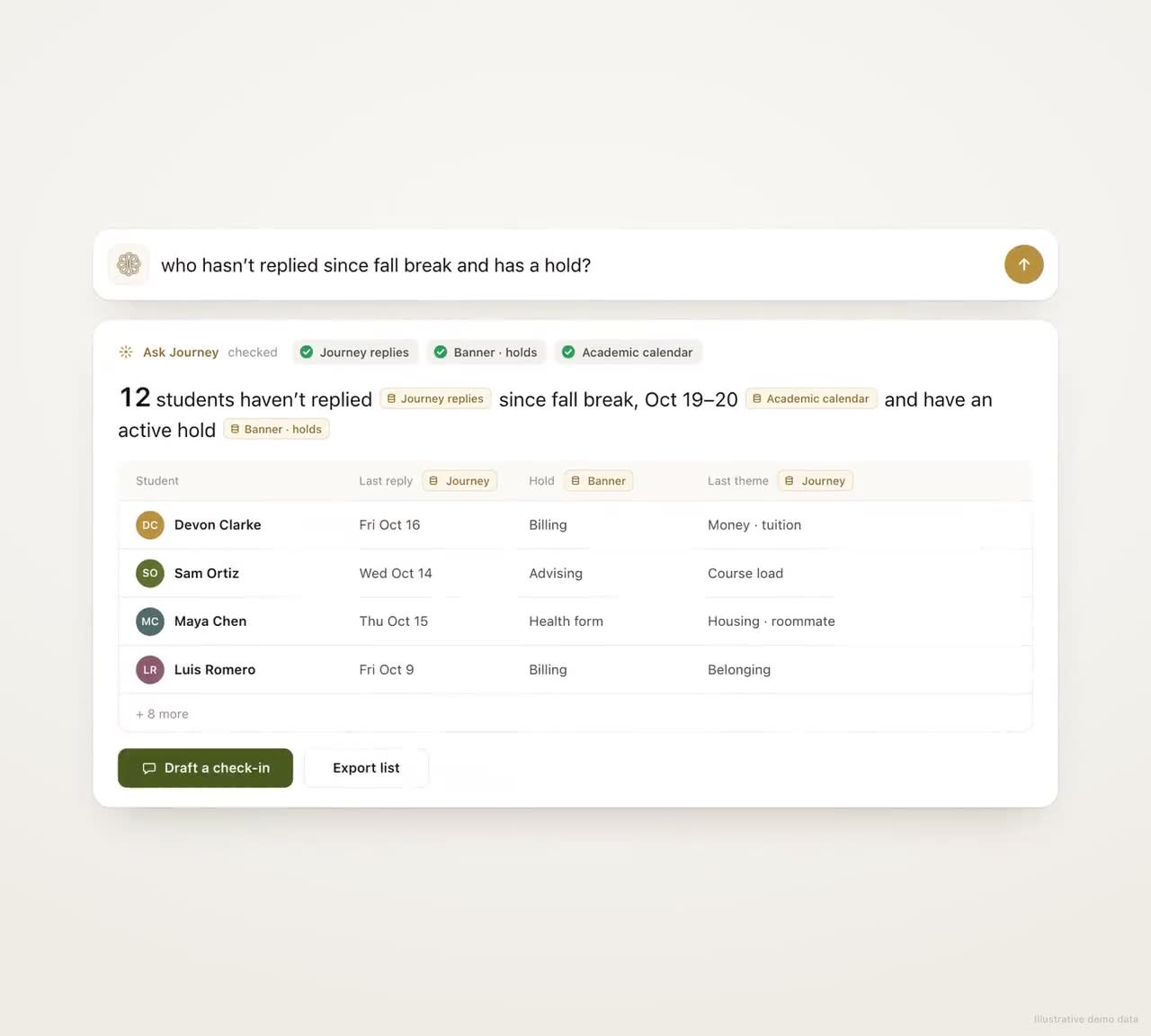
Staff want to ask questions of their own data in plain English: who hasn't replied in two weeks, what came up most in the commuter group, which students mentioned money. The demo at the top of this page shows that direction. Journey doesn't take free-form questions like these from staff yet; today its dashboard shows each student's themes and who needs someone this week.
Where people need to stay in charge
A simple test sorts most cases. If a wrong answer could cost a student money, credit or safety, a person makes the call. If a wrong answer costs them a walk to the wrong building, AI can answer, with a link and a clear way to reach a person.
- Judgment about one student's life. Whether to take a lighter load, withdraw from a course, or take a leave depends on things a model doesn't know and shouldn't guess.
- Money decisions. Aid eligibility, emergency grants, payment plans, fee waivers and appeals. AI can explain how the process works and get the student to financial aid the same day. A person decides.
- Safety. Any message with self-harm, threat or crisis language goes to people through the escalation path your counseling center writes. The AI's job is to recognize it and route it, every time.
- Anything that changes the record. Academic standing, grade changes, enrollment changes, hold releases.
- The relationship. The coach who notices a student has gone quiet, the professor who writes a recommendation. AI can give those people more time. It can't be them.
That last point is easy to get backwards. The case for AI in student success is that it frees advising and coaching time for the conversations that change outcomes. We wrote more about that in Will AI Replace Academic Advisors?
Guardrails worth insisting on
- Grounded answers with sources. Campus questions are answered from your campus's details, the source is linked or shown, and the tool says when it doesn't know.
- A hard line around safety language. It is detected, routed to named people, and tested with your counseling staff before launch. Nobody should find out how the tool handles a crisis message from a real one.
- Limits on contact. A few texts a week, quiet hours honored, no more than one unprompted text a day, and STOP and PAUSE that work instantly.
- A person approves anything consequential or large. A campaign to a whole cohort, anything about money, anything that changes a record. In Journey, a personal follow-up written by AI is approved by a staff member in Slack before it's sent.
- Privacy written into the contract. What data the vendor receives (the minimum), the basis for sharing it under FERPA, whether student data trains any model, and when it's deleted. Your counsel should read this part; we're not offering legal advice here.
- A record of what the AI did. Every message sent, every routing decision, every answer, reviewable by your team.
The same thinking applies to the cases themselves. A case that looks finished should be checked the same way every time before it closes, and anything that fails the check should go to staff.
How to test an AI tool before students see it
Demos are rehearsed. Your students aren't. Before any pilot, run the tool against your own questions.
- Collect 100 real questions. Pull them from front-desk logs, help-desk tickets, the questions RAs get, and texts students have sent. Include boring ones ("is the library open on sunday"), tricky ones ("can i drop to 11 credits and keep my aid"), and a handful with safety language written by your counseling staff.
- Write the right answer for each, with the office that owns it. For the tricky ones, the right answer is often "here's how it works in general, and here's who can tell you for sure".
- Run them and grade each answer on four things: is it correct, is it current, does it hand off when it should, and would a student answer it.
- Treat any miss on a safety item as a failure, whatever the overall score.
- Run the set again every term, two weeks before classes. Wrong answers often come from campus details that changed: summer hours, an office that moved, a new form.
Once students are using it, track the share of questions answered without a handoff, the answers staff correct, and the weekly opt-out rate. A rising opt-out rate is often the first sign that the tool is texting too much or saying too little.
A first AI project you can finish in one term
Good first projects share four traits: a defined group of students, a job where AI's role is clear, a measure you can count weekly, and one named person who reads what gets flagged. Three that fit:
| Project | Who | What to count |
|---|---|---|
| Logistics answers by text for the first six weeks | One first-year cohort | Questions answered without a handoff, and the gaps they reveal in your resource details |
| Hold outreach before priority registration | Students with a registration hold | Holds cleared before registration opens, compared with last year |
| A weekly pulse check with replies read and routed | One residence hall or commuter group | Weekly reply rate, time from a flagged reply to a staff call, referrals kept |
Pick one, write down what success looks like before the term starts, and agree on what you'll compare it with. Our playbook on running a one-semester pilot walks through the setup and the readout.
Where Journey fits
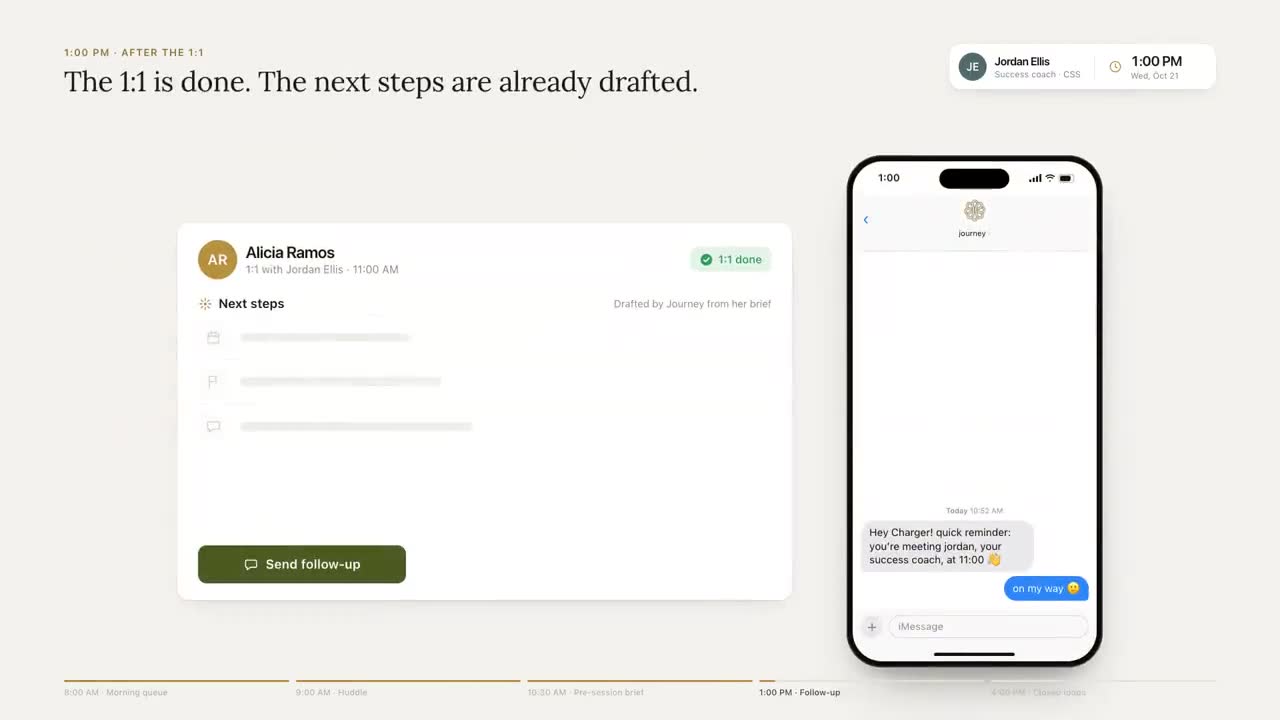
Journey is AI built for follow-through. It texts each student first, with a few texts a week, inside the windows the student chooses. Each nudge is built from the goals and the voice the student picked when they signed up. It works out what each reply is about and whether staff should see it today, answers campus questions from a resource base gathered with your offices, and gets students to the right office with a one-tap scheduling link. Your team works from a dashboard that lists the students to reach this week and the topics in each one's replies, without opening their messages.
When a message shows a student in crisis, Journey replies at once with 988 and the campus health and wellness contacts, and alerts the campus team. A student who texts "talk" is told a staff member will reach out. Journey is not a crisis line: when a message raises a safety concern, it surfaces the right human path (counseling, 988, the on-call staff your team names) and follows the escalation process set up with your campus.
The number we watch first is whether students answer at all. In a typical week of the University of New Haven pilot, 74% of students replied to Journey or acted on a nudge.
Questions to ask any AI vendor
- Where do the answers come from, and can I see the source behind a specific answer?
- What does the tool do when it doesn't know?
- What happens to a message with safety language at 2 AM, and who tested that?
- What can it send or change without a person's approval?
- Is our students' data used to train any model, yours or a provider's?
- How often will students hear from it, and who sets the limit?
- What do staff see, and what stays between the student and the tool?
Then hand every vendor on your list the same 100 questions. Grade the answers with the offices that own them, and let that table make the first cut.
Frequently asked questions
How is AI used in student success?
Mostly in two ways. Predictive models flag students who look likely to leave, and language models handle the conversation: texting students, reading their replies, answering campus questions and summarizing what a cohort is saying so staff know who to reach.
What should AI not do in student support?
It shouldn't make decisions about financial aid, academic standing, enrollment or grades, and it shouldn't be the only reader of messages that suggest a student may be at risk. Those go to people. AI can explain how a process works and get the student to the right office quickly.
How do we evaluate an AI chatbot before launching it to students?
Collect about 100 real questions from your front desks, help desk and student texts, write the right answer for each with the owning office, and grade the tool on accuracy, currency, hand-offs and tone. Include safety items written by your counseling staff, and repeat the test every term.
Is it safe to use AI with FERPA-protected student data?
It can be, under a written agreement that limits what the vendor receives and how it's used. Ask whether student data trains any model, what's deleted and when, and have your counsel review the agreement. This isn't legal advice.
What's a good first AI project for a student success office?
Something bounded that you can measure weekly: logistics answers by text for one first-year cohort, hold outreach before registration, or a weekly pulse check for one residence hall. Define success before the term starts and name the person who reads what gets flagged.