Will AI Replace Academic Advisors?

No. AI can take over reminders, routine questions and the first read of what students write, so advisors spend more of the week on the conversations that decide whether a student stays.
Key takeaways
- The core of advising, judgment about one student, trust built over time, accountability and exceptions, stays human.
- Reminders, logistics questions, no-show follow-up and meeting prep are the parts of the week AI can take on now.
- The payoff is time and information: advisors walk into meetings knowing what's changed and what the student has already said.
- Bring AI in by starting with the work advisors like least, letting them own the words sent in their name, and saying plainly what the saved time is for.
The question usually comes up in a staff meeting, right after someone watches a vendor demo where software answers a student's question in four seconds. Whether AI will replace academic advisors has a short answer: no. It will change what an advisor's week is made of, though, and the offices that plan for that change will get more out of it than the ones that wait for it to happen to them.
Why AI won't replace academic advisors
Advising looks like information work from the outside: deadlines, requirements, forms. The information is the easy part. The hard part is everything around it.
- Judgment about one student. Whether a sophomore who failed organic chemistry twice should change majors, retake it in the summer or take a lighter load while working depends on her finances, her family, her confidence and things she hasn't said yet.
- Trust built over time. A first-generation student often doesn't know which questions to ask. An advisor who has met her three times notices what she's not asking.
- Accountability. Advice that affects credits, aid and time to degree needs a person who owns it and can be asked about it later.
- Exceptions. Petitions, late withdrawals, course substitutions and appeals run on institutional knowledge and relationships with other offices. They also run on discretion, which is a person's job.
- The hard conversations. Academic probation, a leave of absence, a student who's thinking about transferring. These are the moments advising exists for.
None of that is going away. What's changing is how much of an advisor's day goes to the work around it.
What an advisor's week is actually made of
If your team logs a typical week, count the hours that go to reminders, logistics, chasing no-shows and catching up on what happened since the last meeting. That's the work AI can take on. Here is one way to split it.
| Task | Who does it with AI in the office |
|---|---|
| Reminders about registration, holds and deadlines | AI, by text, timed to each student's week |
| "Where is it, when is it open, how do I…" questions | AI, from campus details your offices have confirmed, with a link |
| First read of what students write | AI sorts by topic and how pressing it is; the advisor reads what's flagged |
| Chasing a no-show and rebooking | AI sends a one-tap booking link the same hour |
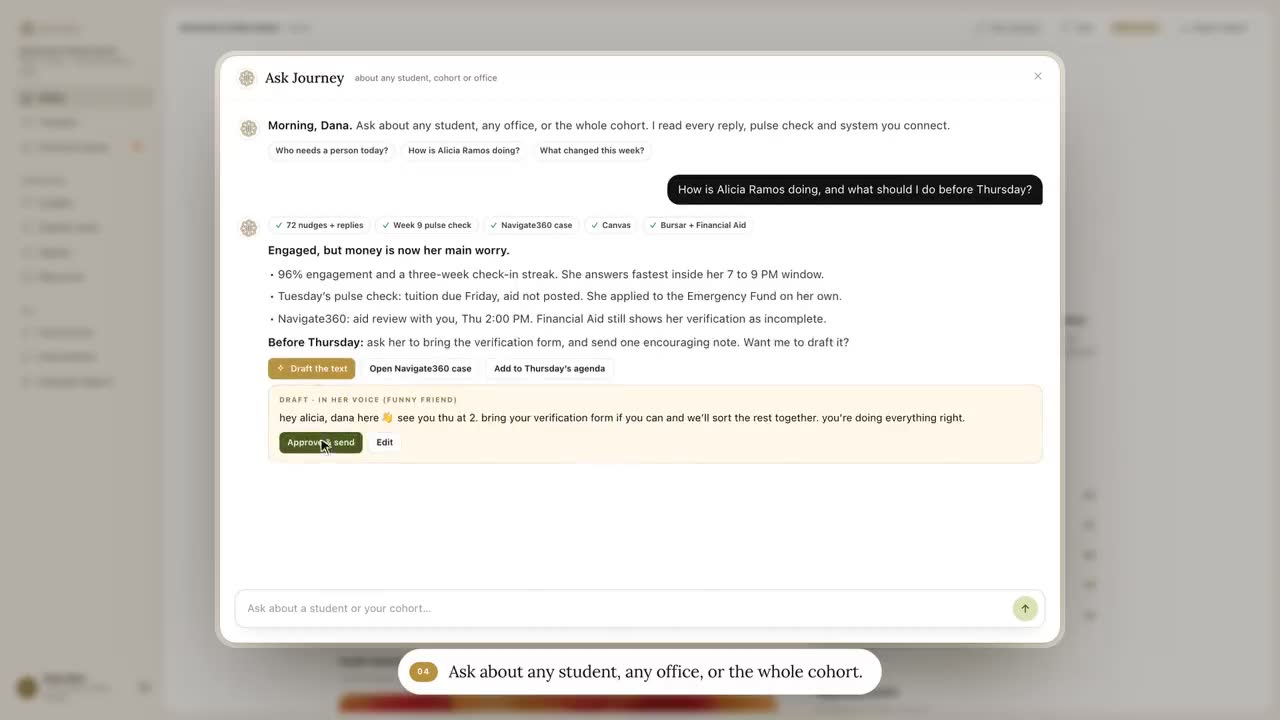
| Catching up before a meeting | AI drafts what's changed; the advisor checks it |
| Degree planning and major changes | The advisor |
| Withdrawal, leave, probation, appeals | The advisor, with the offices involved |
| A student in distress | People, through the campus escalation path; the advisor follows up |
The line runs roughly where it would for a very good assistant. The assistant sends the reminders, answers the routine questions and puts a note on your desk before each meeting. You have the conversations.
A day for a success coach, before and after
Here is an illustrative day for a coach with a first-year caseload. The times and tasks are invented to show the shape of the work, not taken from any one campus. Journey doesn't ship a coach workspace like the one in the "after" column yet; the sorted morning queue and the pre-meeting brief are where the product is going. The texting, the reading of replies and the dashboard's short list are live today.
| Time | Before | After |
|---|---|---|
| 8:30 AM | Forty-seven unread emails, two voicemails and a sticky note that says "call back re: hold?" | A short list: three students need a person today, with why and what's been tried |
| 9:00 AM | First appointment. Ten minutes go to catching up on the student's file while she waits | A one-page brief of what's changed since last time, read in two minutes before she arrives |
| 11:00 AM | A no-show. An email goes out that afternoon | The student got a rebooking link at 11:10 and picked Thursday |
| 12:30 PM | Lunch at the desk, sending registration reminders one by one | Students with holds already got a text in their own time windows; the ones with questions are in the queue |
| 2:00 PM | A student mentions she's working 30 hours a week. The coach writes "aid?" on a notepad | With her consent, financial aid gets a warm handoff with the context, and a check back is scheduled for Friday |
| 4:30 PM | Notes from five meetings still unwritten | Notes are in the student's record, and the day's open loops are closed |
Look at what the "after" column doesn't change. The 9 AM meeting still happens, with the same coach. The 2 PM conversation about work hours still happens. The coach just walks into both knowing more, and leaves without a pile of follow-ups.
What advisors get back
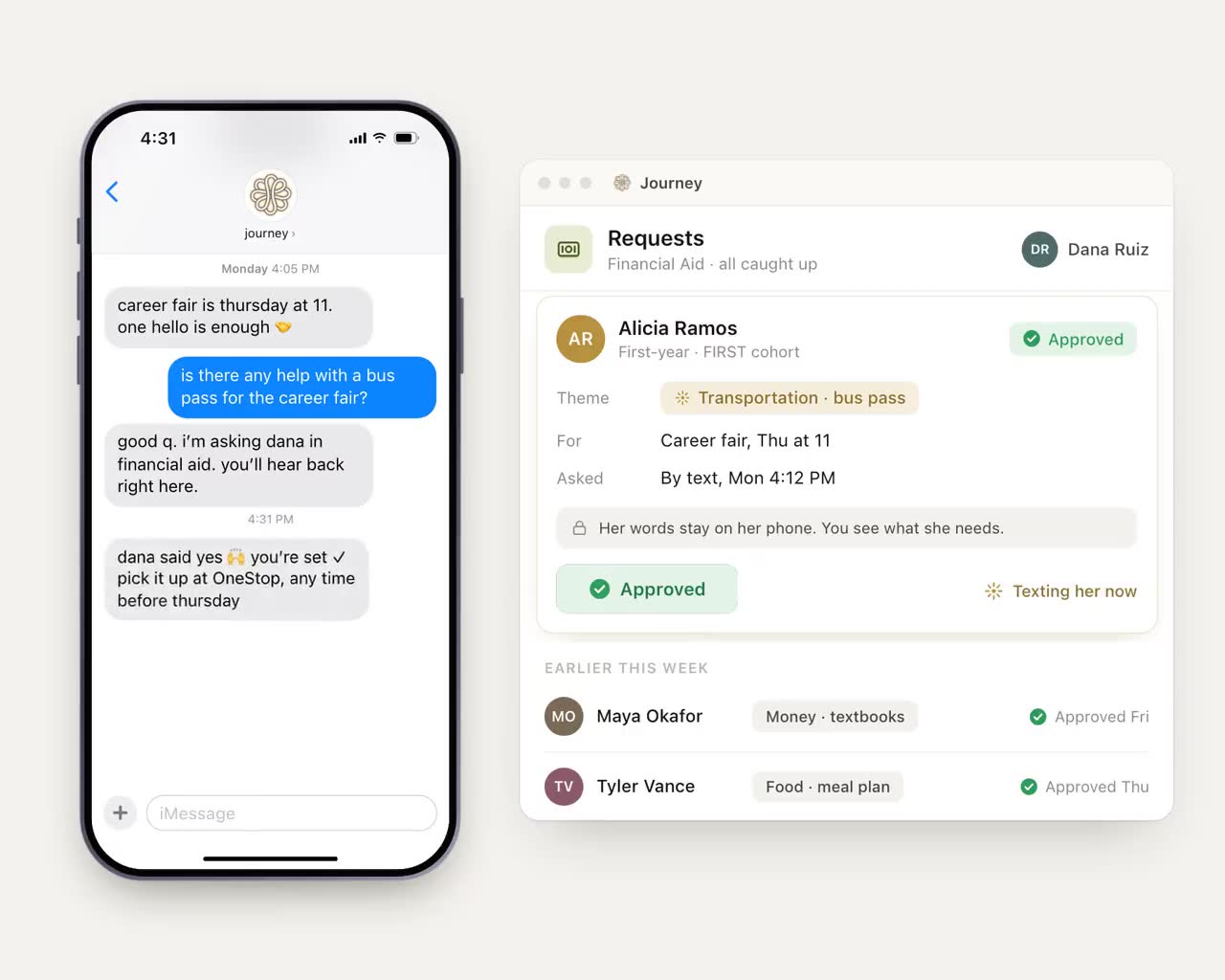
The time matters, but so does the information. Students often tell a text thread things they wouldn't put in an email to an office: that they're working nights, that the bus pass hasn't come, that a roommate situation has them sleeping on a friend's floor. When those replies are read and sorted, the advisor starts the meeting with the real issue instead of finding it at minute 25.
With reach and logistics handled, the hours can go to the conversations that change whether a student stays:
- the student on academic probation who needs a plan, not a letter;
- the first-year who says she's thinking about transferring;
- the student who hasn't replied to anything in three weeks, which is its own signal;
- career and major conversations that usually get squeezed into the last five minutes.
What AI should never do in advising
- Decide anything about credits, aid or standing. It can explain the deadline for dropping a course and get the student to an advisor before it passes. It shouldn't recommend the drop.
- Be the only reader of safety language. Messages that suggest a student may be at risk go to people, through the path your counseling center sets, at any hour.
- Pass itself off as the advisor. Students should know when they're texting a tool and when they're texting a person. The tool should be easy to get past when they want the person.
- Turn advising into a message count. If the office starts reporting texts sent as its main number, the AI has taken over the wrong job.
How the advisor's job changes
The job doesn't shrink, but some of the skills shift. Offices that name these early can train for them and write them into job descriptions.
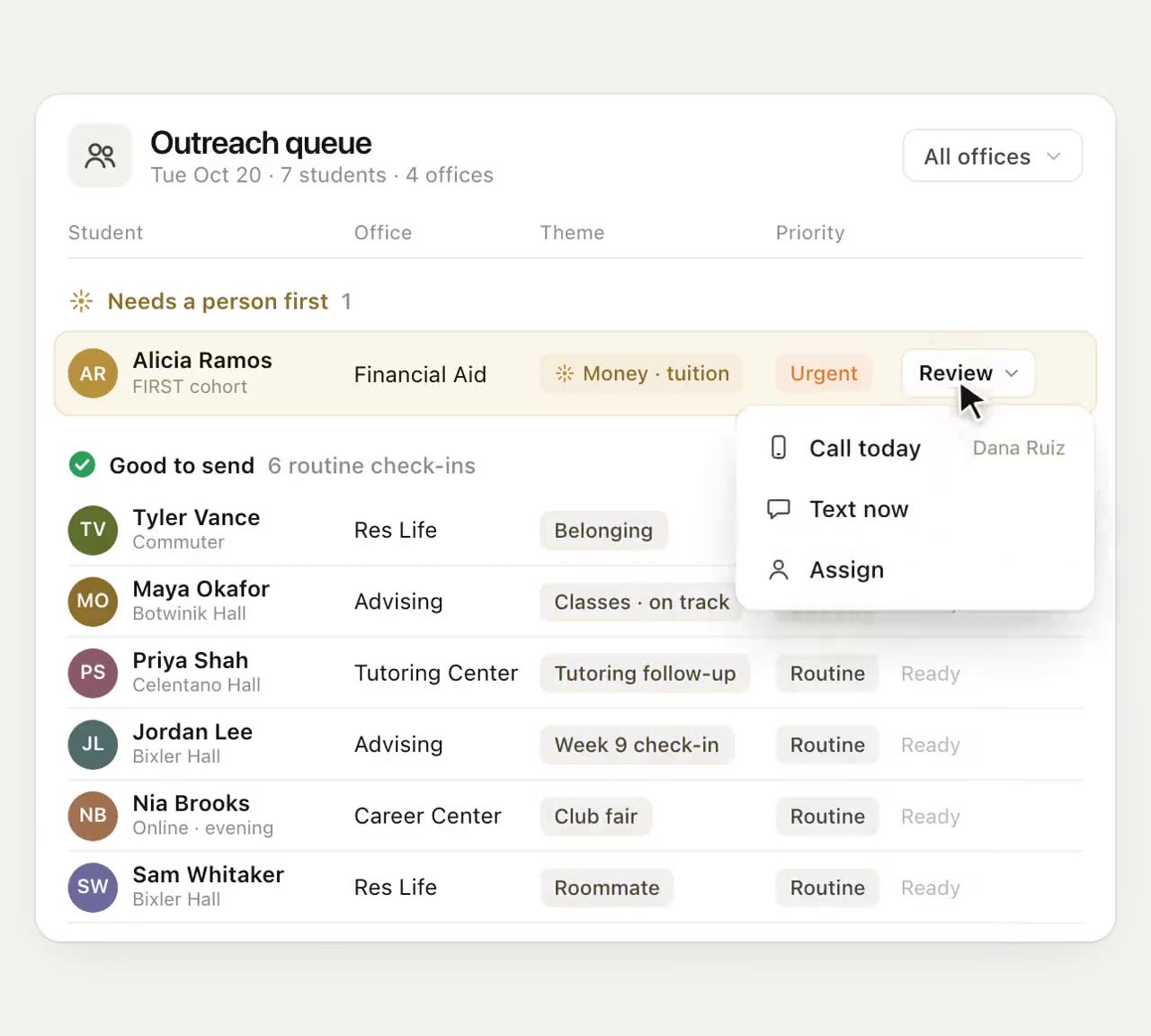
- Reading a flagged list well. Ten minutes each morning deciding which three students need a call today, and which can wait for Thursday's appointment.
- Writing in a student's language. Advisors who help write the messages sent in their name get better replies. Short, plain, one question at a time.
- Judging a handoff. When to book the student into financial aid, when to walk them over, and when to call the office first.
- Spotting patterns across a caseload. If five students in the same section of BIO 110 raise the lab schedule in one week, that's one conversation with the department instead of five separate ones.
- Correcting the tool. When an answer is wrong or a reply was routed badly, saying so, so the source gets fixed for everyone.
How to bring AI into an advising office without losing trust
Advisors have reason to be wary. New technology has a way of arriving alongside talk of bigger caseloads. The rollout should make the purpose clear from the first meeting.
- Say what it's for, plainly. If the goal is to give advisors more time with students, say so, and say what won't change. If leadership has a staffing plan, put it on the table early. People can tell when a tool is being introduced to do something nobody has said out loud.
- Start with the work advisors dislike most. Reminders, routine questions and no-show follow-up. Early wins should be hours given back.
- Let advisors own the words. Anything sent in an advisor's name should use language they wrote or approved.
- Agree on what gets routed to a person. Write the list together: money, standing, safety, anything the student asks a person for.
- Measure where the time went. Track hours per week with students, appointments kept and the no-show rate, before and after.
- Review mistakes monthly. Look at what the AI routed wrong or answered badly, fix the source, and tell the team what changed.
What Journey takes off an advisor's plate
Journey takes the reach, the logistics and the first read. It texts each student first, flags the replies that need an advisor's eyes, answers campus questions from a resource base gathered with your offices, and sends a one-tap link to book with advising or any other office. Advisors work from a dashboard with a short list of students to reach and the topics each one has raised, and notes from meetings go into the student's record where the team can see them.
When a reply calls for a personal follow-up, Journey drafts it and a staff member approves it in Slack before it goes out. A student who texts "talk" is told a staff member will reach out. Journey never replaces a counselor or an advisor. It gets the student to one sooner. Journey is not a crisis line: when a message raises a safety concern, it surfaces the right human path (counseling, 988, the on-call staff your team names) and follows the escalation process set up with your campus.
Questions to ask before you bring AI into advising
- Which tasks will it handle on its own, and which always go to a person?
- Who writes and approves the messages sent in an advisor's name?
- What will advisors see each morning, and how long does it take to read?
- How does a student reach a human when they want one?
- What happens to the time it saves, and who decides?
Answer the last question in writing before the pilot starts, and share it with the advising team. For a closer look at which questions belong to software and which to a person, read AI or Advisor?
Frequently asked questions
Will AI replace academic advisors?
No. Advising depends on judgment about a particular student, trust built over several conversations and accountability for advice that affects credits and money. AI can take on reminders, routine questions and the first read of messages, which gives advisors more time for that work.
What parts of academic advising can AI do?
Sending reminders about deadlines and holds, answering where-and-when questions from confirmed campus details, sorting student messages so advisors see what needs them, rebooking no-shows and preparing a summary of what's changed before a meeting.
How does AI change an advisor's caseload?
It changes what the caseload asks of an advisor each day. Instead of reading every message and chasing every reminder, the advisor starts from a short list of students who need a person, and spends the saved hours on degree planning, probation, transfer conversations and other moments that matter.
How do we introduce AI to advisors without losing their trust?
Say plainly what it's for and what won't change, start with the tasks advisors dislike most, let advisors write or approve anything sent in their name, agree together on what always goes to a person, and review mistakes every month.