Advisor Caseload Management: Who Needs You This Week

How to manage an advising caseload of hundreds: sort students into three tiers each week, move them on what they said, open with the right 30 seconds, hand off by availability and protect outreach time.
Key takeaways
- Without a system, the inbox decides who gets an advisor's time, and the students who email are rarely the ones who most need help.
- Re-sort the caseload every Monday into highest, standard and light-touch tiers, and keep the highest tier small enough to reach everyone in it.
- What a student said, such as a reply about money or leaving, should outrank any risk score. Background characteristics are for planning outreach, never for labeling.
- Open with what you noticed, one question and one concrete offer, and end with a date.
- Hand off to whoever in the other office is free soon, and warmly, rather than to an assigned person whose next opening is weeks away.
No advisor can reach several hundred students personally in a week, so something else decides who gets reached. Usually it's the inbox. The students who email get answers, and they're rarely the ones who most need an advisor that week.
Advisor caseload management is deciding, every week, who gets your time, how they get it, and what everyone else gets instead. You don't need to reach everyone personally. You need a short list of who needs you this week, a way to reach them quickly, and a dependable light touch for the rest. This playbook covers how to sort a caseload into tiers, what moves a student up, what to say in the first 30 seconds, how to hand off by availability, and how to protect the hours the work needs.
Why caseloads break down at a few hundred students
Most advisors don't lack effort. The caseload just arrives in a shape that rewards the wrong things.
- The inbox sets the priorities. Students who write get answers. Students who've gone quiet get nothing, and going quiet is often the warning sign.
- Risk scores arrive without reasons. A list of "high risk" students doesn't say what's wrong, so the first conversation starts from zero.
- Outreach happens in blasts. A term-wide email to the whole caseload feels like coverage, but it reaches the students who were already fine.
- Time is fragmented. Twenty minutes between appointments isn't enough to make three calls well, so they don't get made.
Sort the caseload into three tiers every week
Re-sort on Monday morning, and expect students to move. A tier is about this week, not about who a student is.
| Tier | Who's in it this week | What they get | Your time |
|---|---|---|---|
| Highest | A specific, time-bound problem: a hold that blocks registration on Friday, a reply that mentions leaving, two missed appointments, a failing midterm in a gateway course | A call or a personal text today or tomorrow, then a meeting | Most of your outreach hours |
| Standard | Something to watch: a dip in replies, a first low grade, an unresolved question from last week | A personal message this week and a check at the next key date | A short block, batched |
| Light touch | On track for now | Scheduled nudges around the calendar, an open door, a quick answer when they ask | Close to none, if the nudges run themselves |
As an illustration only: in a quiet week, a caseload of 300 might have eight or ten students in the highest tier, forty or so in standard and everyone else in light touch, with the top two tiers swelling around midterms and registration. Your numbers will differ. What matters is that the highest tier stays small enough for you to actually reach everyone in it.
A Monday re-sort in twenty minutes
- Read what came in since Friday. Replies, alerts, holds and missed appointments. Anything a student said goes first.
- Check the calendar. Registration windows, payment deadlines and the last day to withdraw change who needs you this week.
- Move students up and down. Students whose problem is sorted drop to standard. Don't keep them at the top out of habit.
- Write the highest-tier list with a reason beside each name. If you can't write the reason, the student probably belongs in standard.
- Put the calls in your outreach blocks. A list without times on it becomes Friday's guilt.
Signals that should move a student up
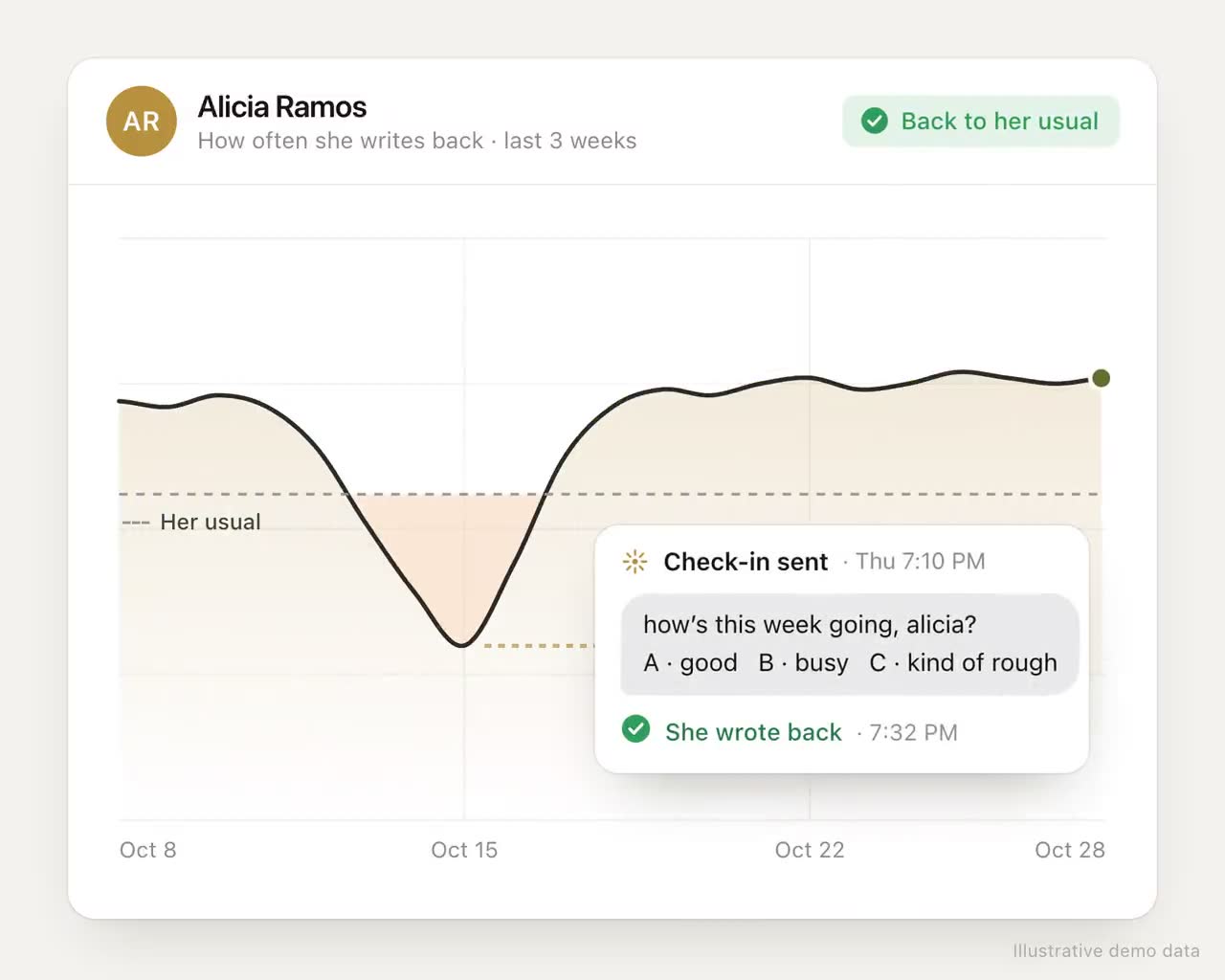
The best signal is something the student said. A reply that mentions money, work hours, a family situation or "thinking about leaving" outranks any score. After that, look for changes in behavior:
- A student who was replying and has gone quiet for a week or more
- A hold within a few days of their registration window
- A missed appointment, especially a second one
- A faculty alert, or a midterm grade below what their program needs
- An approaching deadline that changes their options, like the last day to withdraw
Be careful with signals that shouldn't move a student on their own. Background characteristics, such as being first-generation or working, help you plan who to check on early in the term. They are not a reason to treat a student as a problem. Use them to schedule outreach, never to label.
What to say in the first 30 seconds
The first 30 seconds of a call or the first line of a text decide whether the student hears "someone noticed" or "I'm in trouble". Name what you noticed, ask one question, and offer one concrete thing.
| Instead of | Try |
|---|---|
| "I'm reaching out because you've been identified as at-risk." | "Hi Alicia, it's Marcus, your advisor. I saw there's a hold on your account and registration opens Friday. Do you know what it's for?" |
| "Please schedule an appointment at your earliest convenience." | "I have 15 minutes Wednesday at 2 or Thursday at 10. Which works?" |
| "Is everything okay?" | "Your chem professor mentioned you've missed a couple of labs. Is it the schedule, the material or something else?" |
| "Let me know if you need anything." | "I'll text you Friday morning to check the hold is cleared." |
The pattern on the right is specific, it gives the student an easy way to answer, and it ends with a date. The examples use our fictional cast; the wording is yours to adapt.
Hand off by availability, not just by the org chart
When a student's problem belongs to another office, the usual move is a referral to "financial aid" or to the student's assigned counselor in that office. If that person's next opening is in eleven days, the referral is really a delay. Ask instead who in that office can see the student today or tomorrow, and make the handoff warm: with the student's permission, tell the receiving person what the student already told you, so they don't have to tell it twice.
What a warm handoff note says
- What the student needs, in their words where they've agreed you can share them
- What's already been tried, so the student isn't asked to repeat it
- Any deadline that makes it urgent
- How the student prefers to be reached, and when
Four lines is enough. Copy the student, or tell them what you sent, so they know the next person is expecting them.
Handing off by availability means knowing, roughly, who is free. Even a shared weekly list of "who can take a same-day walk-in" from each partner office changes how fast a handoff lands. Agree on it with the offices you refer to most.
Protect the time the caseload needs
- Block outreach hours. Two fixed blocks a week, such as Tuesday and Thursday from 9 to 11, for highest-tier calls only. Treat them like appointments.
- Batch the standard tier. Write those messages in one sitting, from a short set of templates you personalize with a line each.
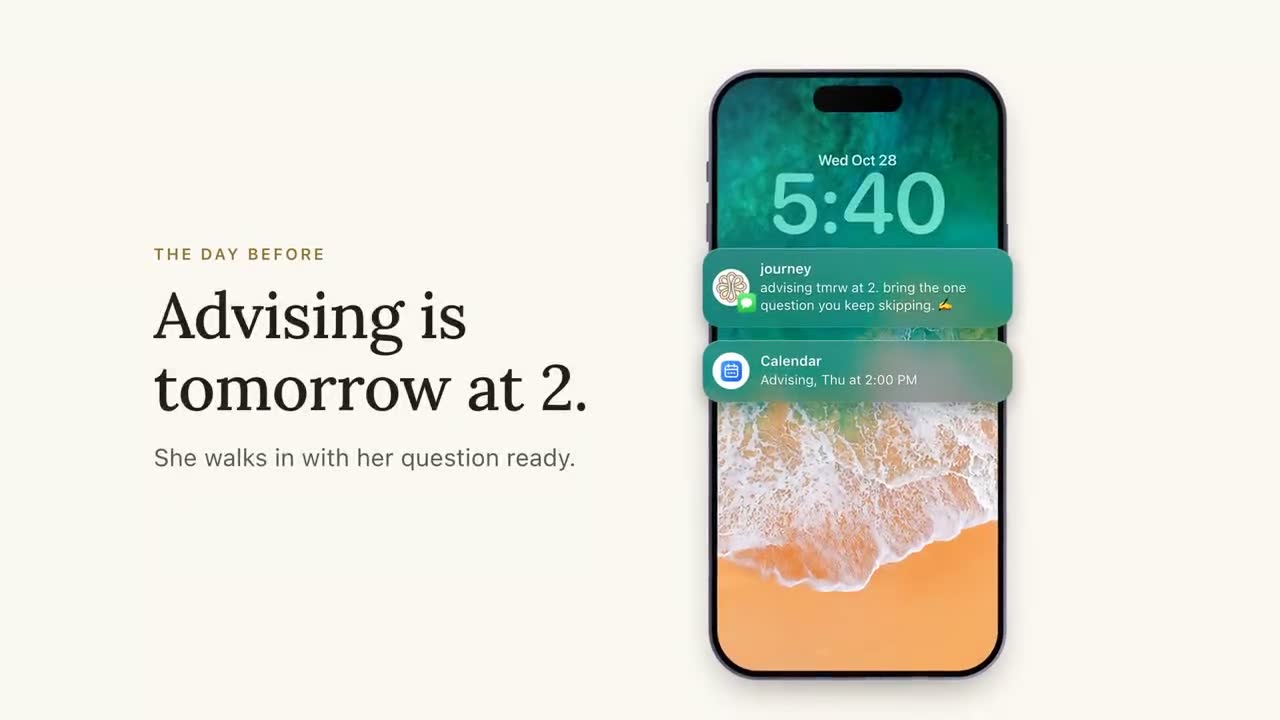
- Let the light touch run itself. Calendar-based nudges, such as registration reminders and the week before midterms, should be set up once at the start of term, not written week by week.
- Plan for the peaks. Weeks six to nine and registration fill the top tier. Cap new non-urgent appointments in those weeks, and ask for help early.
- Keep notes where the team can see them. A note in a shared record saves the next person, often you in three weeks, a whole conversation.
Journey carries the light-touch tier
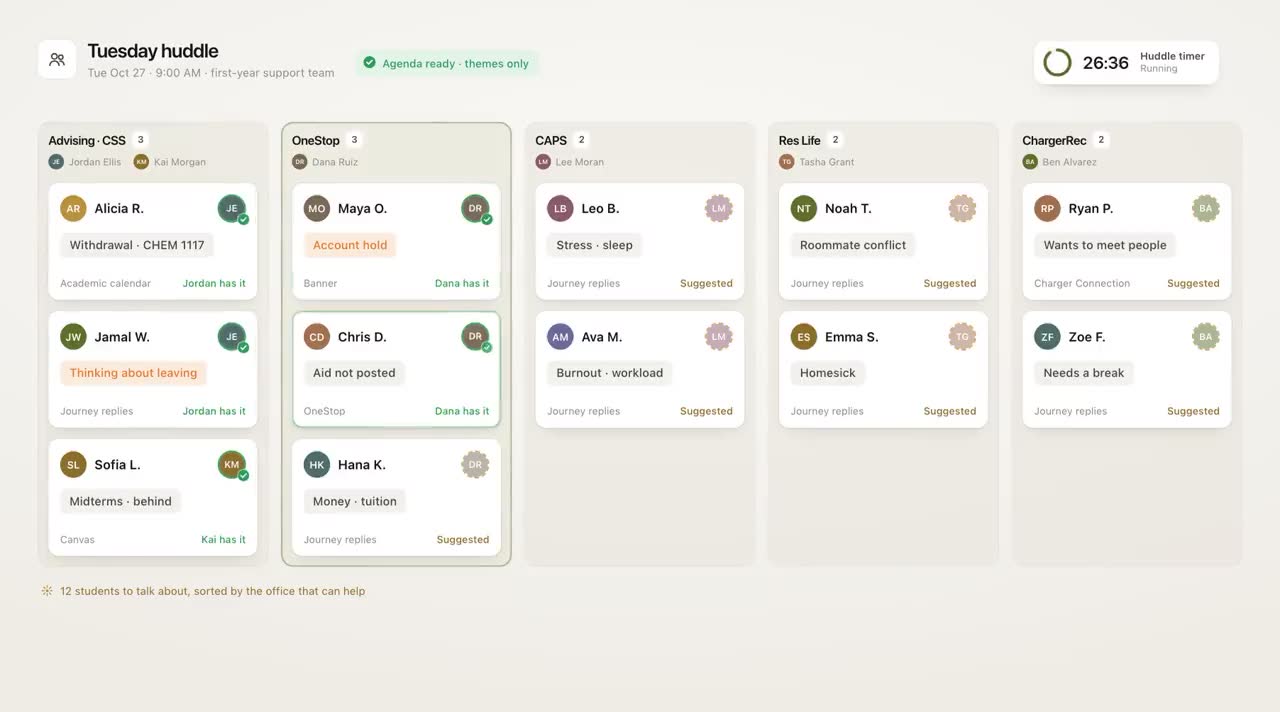
The light-touch tier is where Journey does most of its work, and where it spots who's moving up. It texts every student first, a few times a week, inside the windows they chose. It answers their campus questions from the resource base your team set up, and it sorts the routine replies from the ones that need you. When a reply needs a person, the student comes to the top of the partner dashboard with the concern attached ("worried about tuition, due Friday"), so your first 30 seconds can start where the student is. Students get one-tap links to book with the office that can help, yours included, and notes from your meetings go into the student's record.
In a typical week of the University of New Haven pilot, 74% of students replied to Journey or acted on a nudge. That's what makes a light touch dependable: students answer, so quiet ones stand out.
Two related tools are still mockups rather than shipped features: an outreach queue where staff clear routine check-ins with one send-all, and routing by who in an office is free today. The dashboard's short list of students whose replies need a person is live.
What to measure each week
- Highest-tier students reached within two business days. If it's not nearly all of them, the tier is too big or the hours too few.
- Time from signal to first contact. Measured from the reply, hold or alert, not from when you noticed it.
- Reply rate on your outreach. By channel. Low reply rates usually mean the channel or the first line is wrong.
- Appointments kept versus booked. No-shows in the highest tier deserve a same-day follow-up. Our playbook on cutting advising no-shows goes further.
- Students who moved down a tier. The truest measure that the time went to the right place.
Try the Monday re-sort for a month. The caseload won't get smaller, but the week will have a shape, and the students who needed you will have heard from you first.
Frequently asked questions
How do advisors manage large caseloads?
By deciding each week who gets personal time and who gets a lighter touch. Sort students into tiers based on current signals, spend fixed outreach blocks on the highest tier, batch the standard tier and let scheduled nudges cover the rest.
Which students should an advisor contact first?
Students with a specific, time-bound problem: a hold that blocks registration this week, a reply that mentions leaving, repeated missed appointments or a failing grade in a gateway course. A student who has suddenly gone quiet also belongs near the top.
What should an advisor say when reaching out to a struggling student?
Name what you noticed, ask one question and offer one concrete thing, such as two appointment times. Avoid opening with "you've been identified as at-risk", which makes students defensive.
How can advisors find time for proactive outreach?
Block two fixed outreach periods a week and treat them like appointments, batch routine messages from templates, set up calendar-based nudges once at the start of term, and plan ahead for the busy weeks around midterms and registration.