Nudges That Never Land During Class

A student texts a screenshot of her timetable, and Journey's nudges move out of class times for good. She sets times and days in her own words, changes them by plain text, and every change is said back.
Key takeaways
- A student texts Journey a screenshot of her class timetable, and from then on nothing from Journey lands during a class: no nudge, check-in or announcement.
- Send times can be an exact time, a range or a part of the day, on any days she picks.
- She changes times, days, how many, her goals or a week's pause by plain text, and Journey says each change back so she knows it took.
- Picking specific moments from a registrar's schedule export appears only in a demo, and a calendar connection is still being tested.
A text that arrives in the middle of a lecture has no good outcome. She reads it under the desk and misses the slide, or she swipes it away and forgets it, or her phone buzzes during a quiz and the sender becomes one more thing to resent. Texting students around their class schedule is the most basic courtesy in student messaging, and it's hard to do without knowing the schedule.
Journey's answer is simple and shipped. A student texts a screenshot of her class timetable, and from then on her nudges move out of class times. No message from Journey is ever sent during a class: not a nudge, not a check-in, not an announcement.
How Journey learns her class schedule
The student does it herself, in the same thread she already uses:
- She takes a screenshot of her timetable from the student portal, the way she'd send it to a friend.
- She texts it to Journey. No login, no form, no export from the registrar.
- Nudges move out of class times from then on. A text that would have landed at 10:10 on a Tuesday, in the middle of her biology lecture, goes out at a time she's free instead.
Doing it this way has a practical advantage over waiting for a schedule feed: it works the day she sends it, and it doesn't depend on an export from the student information system. It also keeps the student in charge of what Journey knows about her week.
Knowing her classes helps beyond timing. When she texts about a rough day, Journey's reply already takes her goals, her classes and her free time into account, so its suggestions fit the week she actually has.
Times she chooses, in her own words
Class times say when not to text. The student says when to. During sign-up by text, she's asked when nudges should arrive, and Journey confirms it in one line, for example: "your nudges will come between 4 and 6pm. lmk if another time works better."
She can give that answer three ways:
- An exact time: 7pm.
- A range: between 4 and 6.
- A part of the day: evenings.
She also picks the days, as many or as few a week as she likes, weekends included. A commuter who works weekends and a resident with a light Friday shouldn't get the same schedule, and with this they don't.
Changing it by plain text
Schedules change after add/drop, at midterms and whenever a shift gets picked up. Students rarely go looking for a settings page, so changes happen in the thread. She texts what she wants, Journey says the change back, and she can adjust it by replying.
| She texts | What changes |
|---|---|
| "can my nudges come at 7pm" | Her send time |
| "nudges on tuesdays and thursdays" | Her days |
| "only 2 nudges a week" | How many |
| "pause my nudges for a week", then "resume" | A break, and coming back |
| "i want to focus on my career now" | Her goals |
| "send me less about sleep" | What the nudges are about |
| "update" | Opens the step-by-step menu, for students who prefer one |
When Journey can't act on a request as worded, it tells her the wording that works rather than guessing. When it can, it says the change back, as in this short illustrative exchange with a fictional student:
 Journey
Text Message
Sun 8:20 PM
can my nudges come at 7pm. i got a closing shift on mondays now
done. your nudges will come at 7pm from now on. lmk if mondays need a different time.
mondays nothing pls
got it, no nudges on mondays.
An illustrative thread with a fictional student. Every change is said back, so she knows it took.
What's live, and what's still a demo
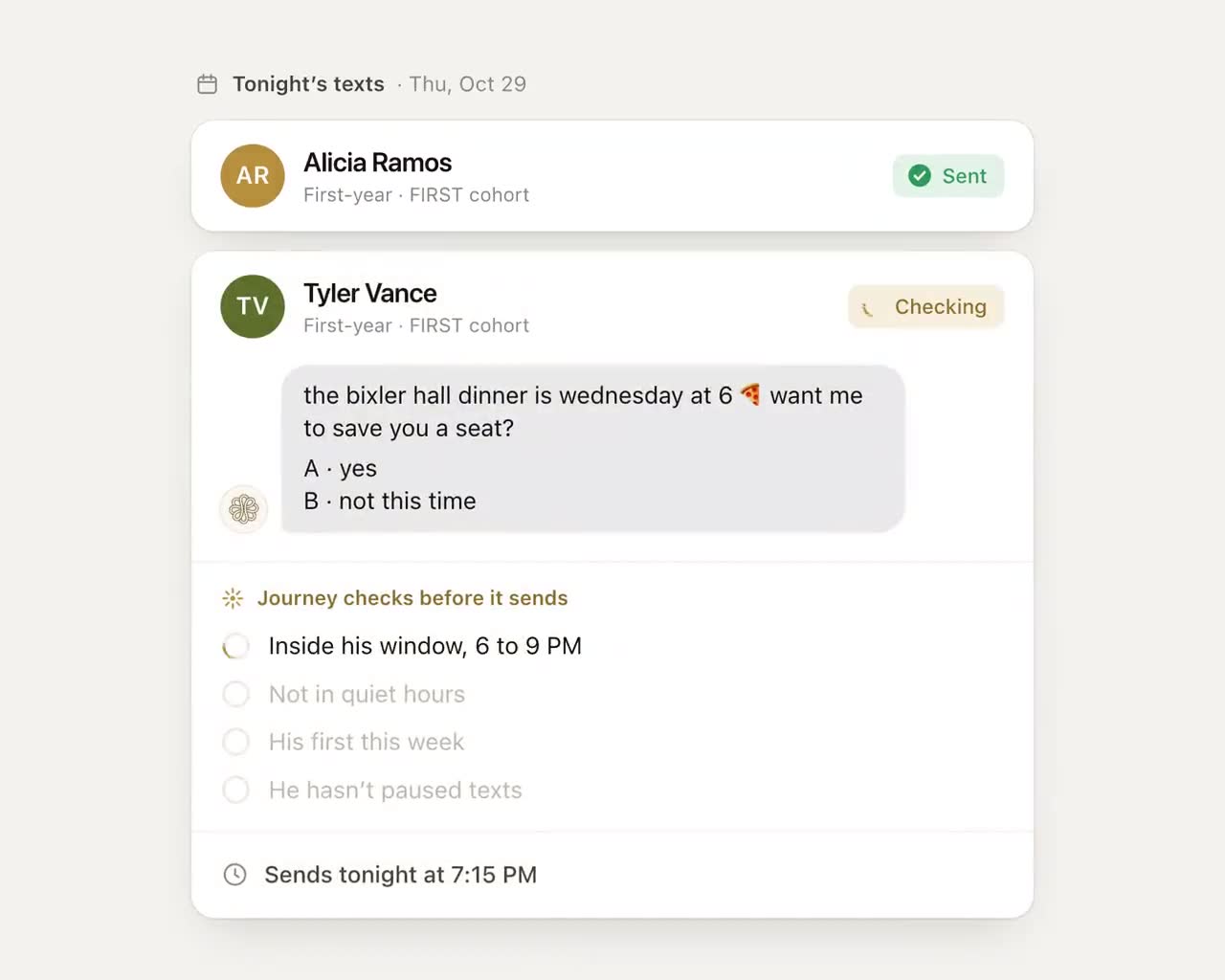
Everything above is live. The clip below goes a step further: Journey reads a week of imported classes, rules out class time, the weekend and quiet hours, and picks two specific moments, right after a three-hour lab and an hour before a workshop she chose. Picking moments like that from a schedule the registrar exports isn't in the product. Today the timetable comes from her screenshot, and the timing comes from the windows and days she chose.
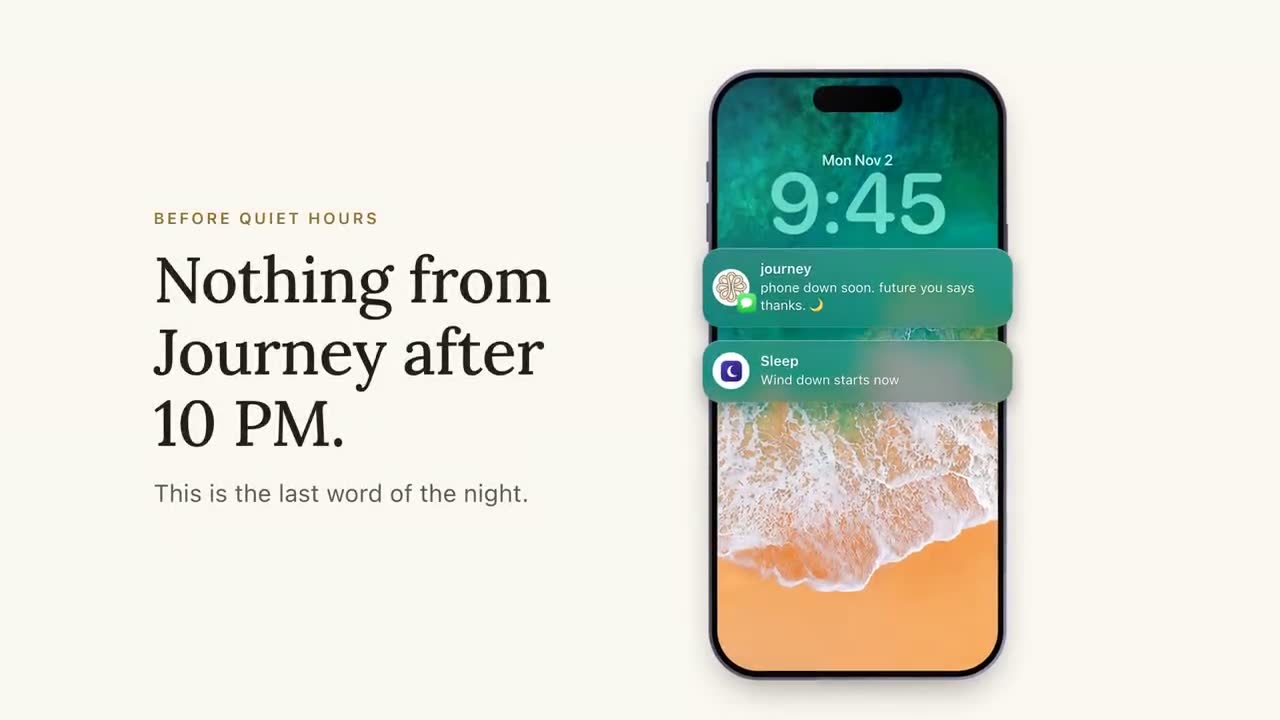
The clip at the top of this page shows the kind of text that lands well: before class, not during it. The lock screen is a mockup and the calendar alert on it is the phone's own; the nudge is an ordinary text. We're also testing a calendar connection, and it isn't available to students.
What to ask any texting vendor about timing
- How does your system know when a student is in class, and what happens to a message scheduled for that time?
- Is the class rule absolute, or a preference a campaign can override?
- Who chooses the send times: the student, the staff or a default?
- Can a student change times, days and frequency without a login or a menu?
- Does the student get confirmation that a change took effect?
A text that respects her class time earns the next one a read. That's most of what good timing is.
Frequently asked questions
How do you avoid texting students during class?
You need each student's schedule and a rule that holds for every message. In Journey, the student texts a screenshot of her timetable, and from then on no nudge, check-in or announcement is sent during a class.
Do students have to share their class schedule with Journey?
No, but it's how Journey keeps texts out of class time, and it takes one screenshot sent by text. Without it, nudges still go out only in the times and on the days the student chose.
Can students change when they get nudges?
Yes, by plain text, with no menu needed. A student can text something like "can my nudges come at 7pm" or "only 2 nudges a week", and Journey says the change back so she can adjust it by replying.
Does Journey connect to students' Google Calendars?
We're testing a calendar connection, but it isn't available to students. Today Journey learns class times from a timetable screenshot the student texts.