EdSights Alternatives: What to Look For in 2026

For campuses renewing or replacing a check-in chatbot: what EdSights says it does, the alternatives by the job you need done, where a check-in tool is still the better fit, and the questions to ask before you sign.
Key takeaways
- Before looking at EdSights alternatives, decide whether you need a better way to find struggling students or a way to get the students you've found to act. They call for different tools.
- EdSights describes regular text check-ins across four persistence drivers, risk flags for advisor follow-up, peer benchmarking and a vendor-managed message calendar.
- Map the six steps from flag to check-back and write a name next to each. The gap is usually after the flag, not before it.
- A check-in tool may still be the better fit if you need a campus-wide risk read, peer benchmarks, an admissions product or a vendor that writes the campaigns.
Renewal season brings one question from the provost's office: of the students your check-in tool flagged last fall, how many did something about it? The tool did its job and flagged them. On many campuses, the record of what happened next is scattered across a dozen advisors' inboxes, and nobody can pull it together before the contract is due.
If you're searching for EdSights alternatives, decide first which of two problems you have. One is finding out which students are struggling. The other is getting the students you've already found to act. They sound alike and need different tools. This guide describes what EdSights says it does, lays out the alternatives by the job you need done, says where a check-in tool may still be your best option, and ends with the questions worth asking before you sign another year.
What EdSights does, in its own words
EdSights describes itself as turning student voice into student success. According to its website, its retention product, EdSights Retain, sends proactive text check-ins every 7 to 10 days across four persistence drivers: academics, finances, engagement and wellness. EdSights says that framework is grounded in Vincent Tinto's persistence research.
From those conversations, EdSights says, Retain flags students by risk level, flags at-risk students for follow-up from their advisor, updates each student's profile as they share more, and gives staff a prioritized list of who needs them. Leadership gets aggregated insight into where students are struggling, and a Student Voice Score allows benchmarking against peer institutions. EdSights says it handles the ideation, writing and building of the weekly communication plan itself, which it says saves staff hours each week.
It also describes an AI chatbot, whitelabeled for your institution, available around the clock over text and on your website, that answers student questions from a closed knowledge base EdSights builds and maintains, and can check in proactively. It lists integrations by SFTP with Starfish, EAB Navigate, Salesforce, Slate, Pharos and Banner, and an admissions product, EdSights Admit. The company says more than 300 universities use it.
That's a serious idea, done seriously. Asking students directly, early and often, tells you things grades and attendance only reveal weeks later. If you're leaving, it's rarely because the idea was wrong.
Why schools look at alternatives
When a team starts looking around, it's usually for one of these reasons, and most of them are about the campus rather than the tool:
- The list is longer than the team. A risk flag is worth exactly the staff hours behind it. If your advisors carry several hundred students each, a sharper list of who's struggling doesn't add a single hour to their week.
- You want the conversation to keep going. A check-in asks how a student is doing. Some teams want the next text to be about what the student said they wanted this term, and the one after that to get them through a door.
- The campus already pays for texting. If your success platform added two-way texting, someone will ask why you pay for two senders.
- The scope changed. A new strategic plan moves the focus to a specific cohort, or to belonging, or to the second year.
Be honest about which one it is before you book a demo. If it's the first, a different check-in tool will hand you a different long list.
Finding struggling students versus getting them to act
Follow one flagged student through a typical week and count the steps between knowing and helping:
| Step | The question | Who owns it on your campus today? |
|---|---|---|
| Flag | Do we know she's struggling, and with what? | |
| Reach | Did someone contact her within a day or two, in a channel she reads? | |
| Reply | Did she answer, and did anyone read the answer for what it's really about? | |
| Route | Did the right office get it, with enough context that she doesn't repeat her story? | |
| Act | Did she book, and did she go? | |
| Check back | Did it help, or is she back at step two? |
Fill in the last column with names, not office titles. Many teams find the first row is well covered and everything after it belongs to whichever advisor happens to see the flag between appointments. That's the real gap the provost was asking about, and it's the gap any alternative should be judged against.
The alternatives, by the job you need done
Keep the tool, change the process
No purchase at all. If the check-ins are working and the follow-up isn't, assign one named owner per flag, set a 48-hour contact standard and report referral completion every week. It costs staff time rather than a contract, and it tells you quickly whether the bottleneck is software or staffing.
A coaching chatbot
Mainstay describes its approach as human-centered and AI-enhanced, with AI success coaching for students, a conversation co-pilot for staff and conversation insights for leaders, over SMS, live chat, web chat and social media. In March 2026, Lemnis, which describes itself as a public charity, announced that Mainstay would become one of its divisions. If you like reaching every student through conversational AI and want a different vendor, it belongs on the list.
The texting inside your success platform
EAB lists two-way SMS, a student app and a student-facing AI knowledge agent among Navigate360's features. If your campus already runs it, find out what's switched on before you buy anything new.
A staff texting platform
Modern Campus Message (formerly Signal Vine) and Mongoose both describe two-way texting built for higher education, with automation and AI to help staff handle volume. They're a good fit when offices need a dependable channel and have the people to hold the conversations.
A follow-through layer
That's Journey's category, described in its own section below.
What to look for in any alternative
| Look for | Why | Ask in the demo |
|---|---|---|
| Outreach built from the student's own goals | Students answer texts about what they care about more readily than texts about what the institution worries about | "Where does the content of the third text come from?" |
| Replies read for meaning, every time | A flag for finances might really be about a bus pass, a work schedule or a parent's job | "Show me a messy reply and what happens to it" |
| A one-tap route to a person | "Reach out to the office" is a referral that ends at the student's thumb | "How many taps from the text to a booked appointment?" |
| A cap on volume | Weekly check-ins plus office campaigns plus reminders add up fast | "What's the most texts one student can get from you in a week?" |
| A staff view that saves time | If the dashboard takes an hour to read, it won't get read in week nine | "Show me Monday morning for an advisor with 300 students" |
| Safety routing you control | Replies arrive at night | "Who gets a reply with self-harm language at 2 AM, and how fast?" |
What Journey does after the flag
Journey is built for the rows after the flag. It texts each student first, over SMS or iMessage, with nothing to install. In a 90-second onboarding, students rank their goals, pick the events they care about and choose the voice Journey texts them in, so the nudges that follow are about their goals, timed to the windows they choose. Journey asks short check-in questions too, which students answer with a single letter.
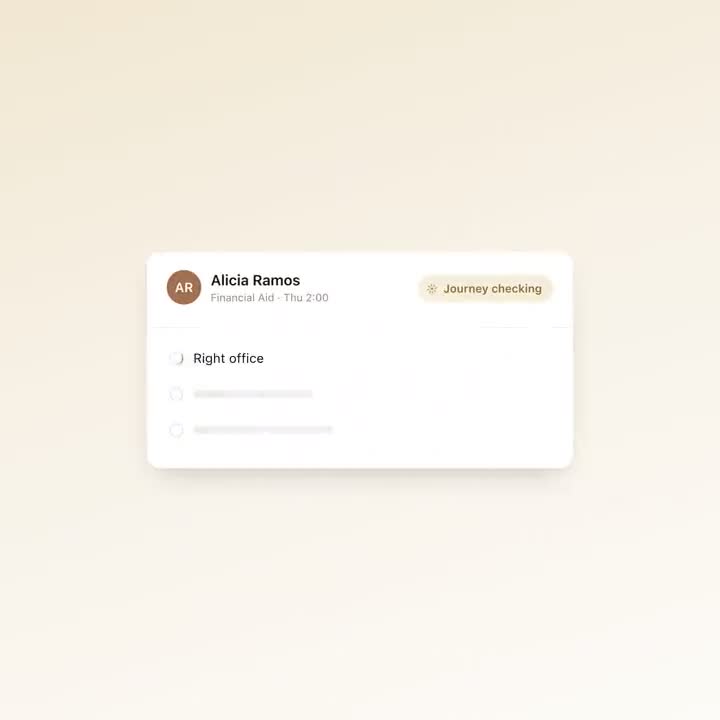
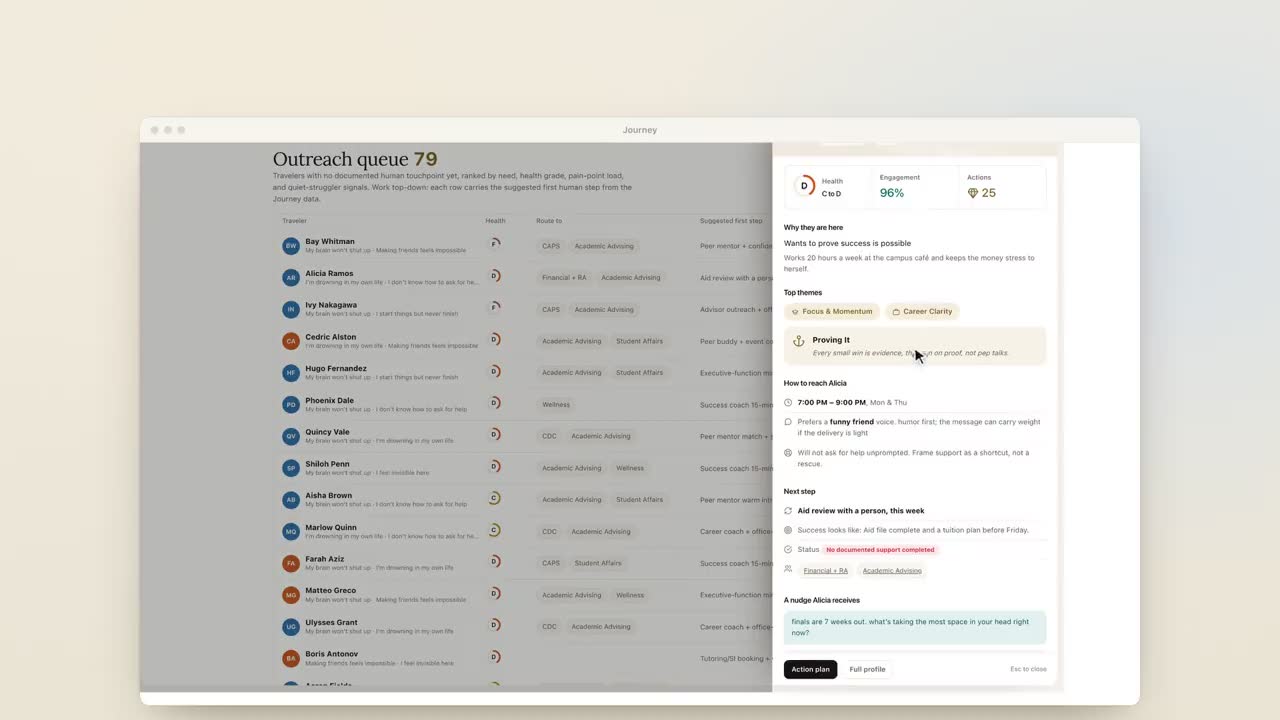
Journey reads each reply for what it's actually about, which is often not what the flag said, and for whether it can wait until morning. Safety language goes to people through the escalation process your campus sets, and Journey is not a crisis line: when a message raises a safety concern, it surfaces the right human path (counseling, 988, the on-call staff your team names) and follows the escalation process set up with your campus. When a student needs an office, a one-tap scheduling link takes them to it. A reply that matters can lead to a personal follow-up nudge, written by AI and approved by your staff in Slack before it goes out. Your team works from a dashboard that lists the students who need a call and why, with themes from their replies instead of transcripts.
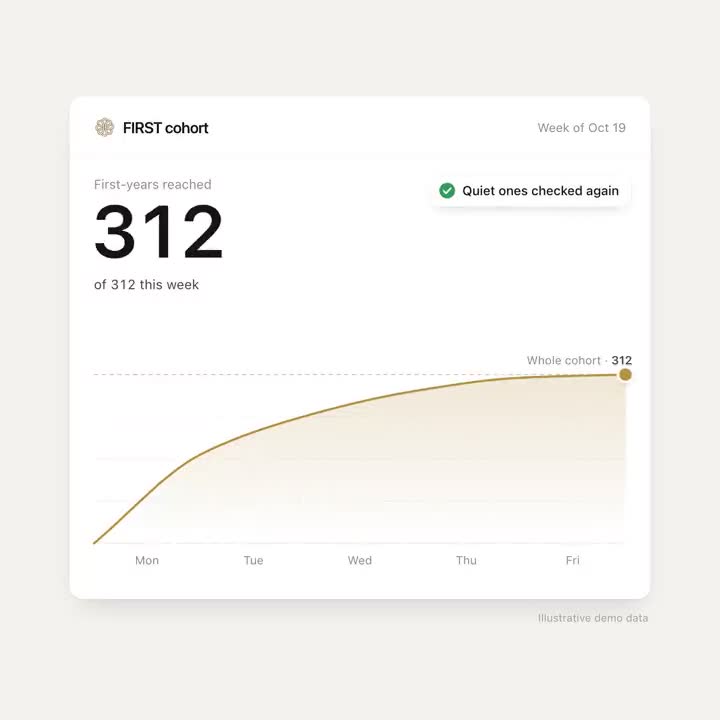
In a typical week of the University of New Haven pilot, 74% of students replied to Journey or acted on a nudge. Of about 100 high-risk first-years in the University of New Haven pilot, 4 left. The semester before Journey, 50 high-risk first-years did.
Where a check-in tool may be the better fit
We'd rather you buy the right thing than buy us. A dedicated check-in product may serve you better if:
- You need a structured, campus-wide read. Regular check-ins across the same four drivers for every student, rolled up into risk levels, is exactly what EdSights says it's built to do.
- Benchmarking matters to your leadership. EdSights describes its Student Voice Score as a way to compare against peer institutions. Journey doesn't offer peer benchmarks.
- You want the vendor to run a campus-wide message calendar. EdSights says it plans, writes and builds a weekly communication plan for you. Journey writes each student's nudges from that student's own goals, and campaigns for moments in the term start from templates. On your side, expect about eight hours of staff time to set up a 100-student pilot, most of it gathering the campus resource details Journey can't find publicly.
- Your check-in data already connects to Starfish, Navigate360, Slate or Banner. EdSights lists SFTP integrations with each. Switching means rebuilding those connections somewhere else.
- You need admissions too. EdSights lists an admissions product. Journey is built for student success after students enroll, not for recruitment.
- Your coaching team has room. If you have the people to work every flag, the list may be all the software you need.
Running a check-in tool and Journey together
Some campuses will want both: check-ins for the whole population, a follow-through layer for the students who are flagged or for one high-risk cohort. If you do, give each sender a clear lane, keep one opt-out list where your policies allow it, and count every text a student gets from both systems in a busy week. A student who hears from three campus numbers on a Monday starts ignoring all three.
Questions to ask before you renew
- Of the students flagged last term, how many had a human contact within two business days? Who measured it?
- Of the students referred to an office, how many kept the appointment? Can the system tell us, or do we have to check by hand?
- How many texts did a typical student get from you in a month, and from every campus sender combined?
- What did students say when they opted out? Can we see the reasons?
- Which features in the renewal quote are live today, and which are planned?
- At the end of the contract, what do we get back: check-in answers, flags, consent records and opt-outs, in what format?
If the answer to the first two is "we don't know", that's not a reason to switch vendors by itself. It is a reason to decide, before the renewal, whether you need to know more or need students to do more. The renewal should follow from that answer.
Frequently asked questions
What are the alternatives to EdSights?
They fall into a few groups: conversational AI tools such as Mainstay, which describes AI success coaching for students; the texting and AI features inside a student success platform such as EAB Navigate360; staff texting platforms such as Modern Campus Message and Mongoose; and follow-through tools such as Journey. Keeping your current tool and changing the follow-up process is also an option.
What does EdSights do?
According to its website, EdSights texts students check-ins every 7 to 10 days across academics, finances, engagement and wellness, flags students by risk level for advisor follow-up, gives leaders aggregated insight and benchmarking, and offers a 24/7 chatbot that answers questions from a knowledge base it maintains.
How do we know if our early-warning chatbot is working?
Ask what happened after the flags. Measure how many flagged students had a human contact within two business days, how many referrals became kept appointments, and how many texts a typical student got from every campus sender. If nobody can answer, the gap is in follow-through, not detection.
Can we run a check-in chatbot and Journey together?
Yes. Some campuses keep check-ins for the whole population and use Journey for flagged students or a high-risk cohort. Give each sender a lane, share one opt-out list where your policies allow, and count every text a student gets in a busy week.
What should we ask before renewing a student success chatbot contract?
Ask which features in the quote are live, what you get back at the end of the contract (answers, flags, consent records and opt-outs), why students opted out, and how the vendor measured follow-up on flagged students.