Matching Students to Campus Events They'll Actually Go To

A list of thirty events fills the room with the same twenty students. How to match events to what students said they care about, offer three choices, nudge before start time, and reach quiet students and commuters.
Key takeaways
- Ask students early which kinds of events they'd actually attend, tag every event the same way, and send each student only the matches.
- Three lettered options with the day, time and place beat a list of thirty, and one saved event beats three ignored ones.
- A short text one to two hours before the start reaches students at the moment they decide whether to go.
- Quiet students and commuters need different handling: a low-pressure check-in for the first, programming in their on-campus hours for the second.
- Measure unique and first-time attendees, not RSVPs or email opens.
The weekly events email is one of the hardest-working things a student activities office produces, and one of the easiest for a student to ignore. It goes out to every undergraduate on Monday morning: game night, a resume workshop, three club meetings, a film screening, intramural sign-ups, a guest lecture, a cultural celebration, free yoga. Thirty-some events, beautifully formatted. Thursday's game night draws the same twenty students it always does. The first-year who would have loved it never scrolled that far, and the commuter who might have come was in her car by 2:30.
To increase student event attendance, start with how students hear about events: too many, too early, addressed to everyone and therefore to no one. This guide covers what actually fills a room: matching events to what students told you they care about, offering three options instead of thirty, a nudge a couple of hours before, and extra care for the students who don't show up anywhere.
Why the events email doesn't fill the room
Student activities offices work hard on programming, and the promotion often undersells it. The usual reasons:
- Too many choices. A list of thirty asks the student to do the sorting. Most won't, and the ones who do are already involved.
- Nothing says "this one's for you". A generic list can't tell a student that the board game night is exactly their thing.
- Wrong timing. Monday morning is when the email arrives. Thursday at 5 is when the decision to go gets made, or doesn't.
- Going alone feels risky. For a first-year without a friend group yet, walking into a room where everyone seems to know each other is the real barrier.
- It's built for residential students. Evening events miss commuters, students who work and students who care for family.
Match events to what students said they care about
The simplest signal that a student might go to something is that they've told you they like that kind of thing. So ask early, and use the answer.
- Ask once, at the start. During orientation or the first week, have students pick the kinds of events they'd actually go to: games, fitness, career, cultural, faith, music, outdoors, service, free food (always popular, never a joke category).
- Tag every event with the same categories. Whoever approves event submissions adds one or two tags. It takes seconds per event if the list of categories is short.
- Add the practical fields. Start time, building, cost, whether it's beginner-friendly, whether people come solo. These are the questions students actually ask.
- Match weekly. Each student gets the events that match their picks, in the hours they're free.
This doesn't need an algorithm to start. A spreadsheet of tagged events and a list of students by interest gets you most of the way for a single cohort.
Three options, not thirty
Three is enough to feel like a choice and few enough to read on a lock screen. Lettered, with the day, time and place, and one reply to save it.
| Instead of | Send |
|---|---|
| "Check out this week's events on the student portal" | "3 things coming up i think you'd like: a) board game night, thu 5 PM, student center b) free yoga, fri 4 PM, rec center c) resume workshop, thu 4:30, career center reply with a letter to save one" |
| "All students welcome" | "lots of people come solo, it's that kind of night" |
| "Don't miss out" | "free pizza, and you can leave whenever" |
When a student picks one, confirm it in a line ("saved. i'll text you at 3:30 so it doesn't sneak up on you") and send no other event invitations that week. One saved event beats three ignored ones.
The nudge a couple of hours before
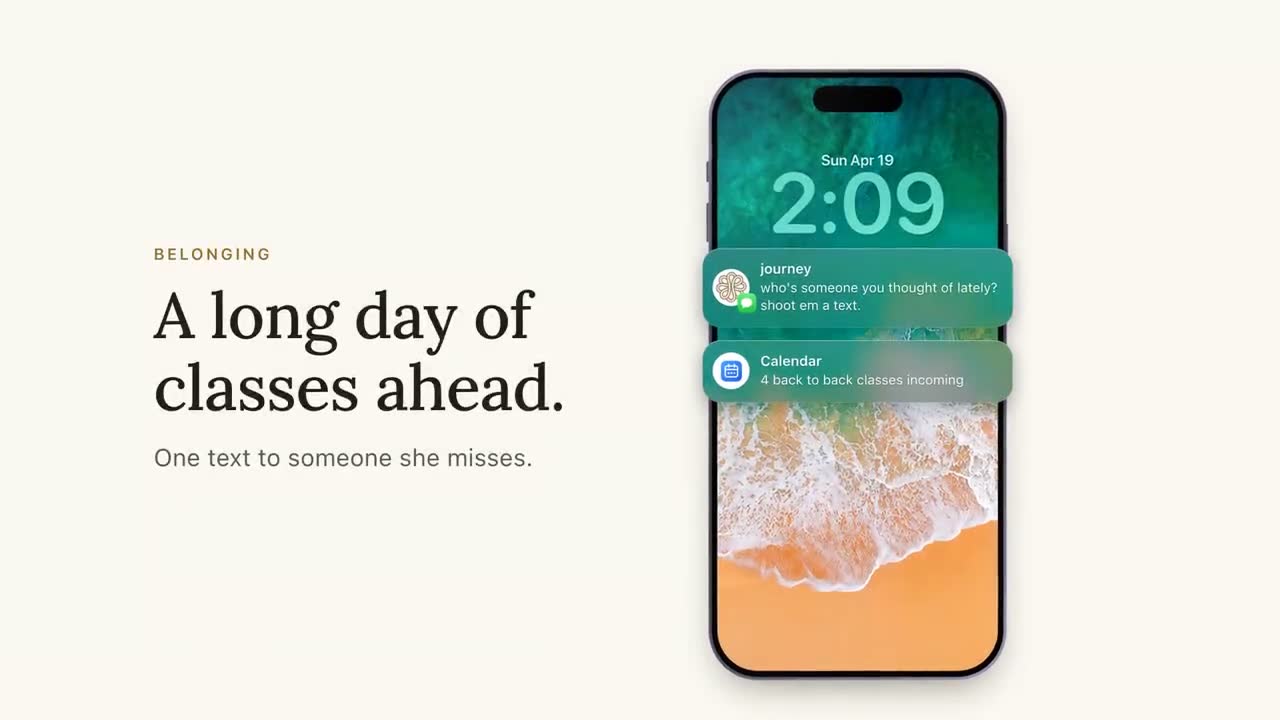
The decision to skip an event is often made in the hour before it, when the couch is comfortable and nobody's waiting for you. A short text one to two hours before the start lands in that window. It should carry the time, the place and one reason that lowers the barrier.
Keep the pre-event nudge only for students who saved the event, or who picked that category and haven't heard from you that day. Everyone else gets nothing. Quiet hours still win for late events: if a student's quiet hours start at 9, a 10 PM concert gets its nudge by 8:30, not at 9:15.
Make going alone easy
For a first-year in October, the hardest part of an event is the doorway: walking into a room where everyone seems to have arrived with someone. Promotion can't fix that on its own, but the event can, and the text can say so.
- Tag events that work solo. Trivia with teams formed at the door, a cooking class with assigned stations, a volunteer shift with a job to do. Structure gives a student something to do besides stand there.
- Put a greeter at the door. One student leader whose job for the first twenty minutes is to say hi to anyone who comes in alone and introduce them to one other person.
- Name the person to look for. "ask for the student in the orange shirt at the front table, they'll get you on a team" turns an unknown room into a known one.
- Say the exit out loud. "stay 20 minutes, leave whenever" makes the commitment small enough to try.
Then put that in the nudge. "trivia at 7, student center. teams are made at the door, lots of people come solo" answers the question a hesitant student won't ask.
The quiet ones and the commuters
Two groups need different handling, and both are easier to lose than the students who already fill every event.
Students who've gone quiet
Some students stop replying to anything after the first few weeks. A generic events list won't reach them. What works better is a low-pressure check-in sent only to them, which gives them an easy out and, if they're curious, something to do tonight. Expect a few to reply "who is this again?" That's a fair question, and a friendly answer ("i'm the campus text line that checks in now and then, ask me anything") can open the conversation back up.
Commuters
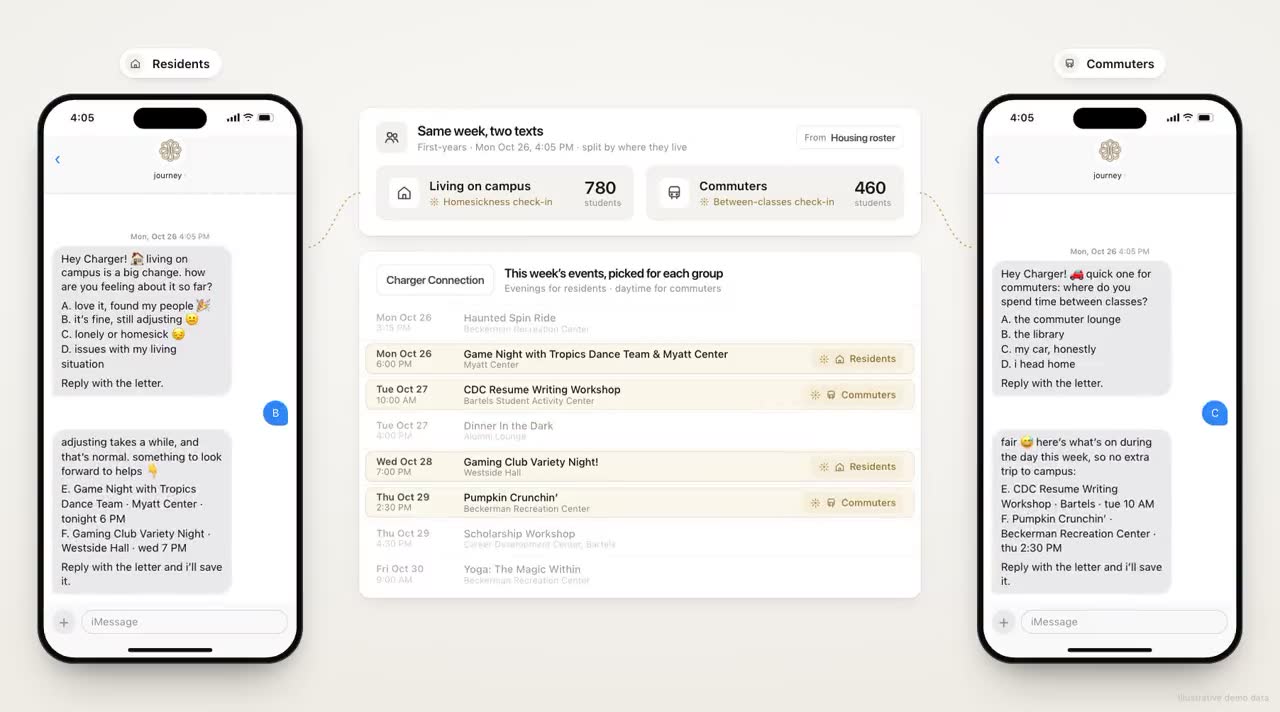
For commuters the deciding question is when they're on campus. Look at their class schedules as a group and you'll often find a midday gap, a long Tuesday, a Thursday afternoon between labs. Programming in those windows does more than any promotion of an evening event. When you do invite a commuter to something at night, answer the practical question before they ask it: where to park, whether the event ends in time for the last bus, whether it's worth staying three extra hours for.
A weekly rhythm for event outreach
A simple cadence most student activities offices can run with the staff they have:
| When | Step | Owner |
|---|---|---|
| Wednesday | Next week's events submitted and tagged, with the practical fields filled in | Student activities coordinator |
| Friday morning | Three-option text for the coming week to each student whose interests match, inside their windows | Sent automatically; coordinator reviews the list Thursday |
| Day of the event | Reminder one to two hours before, to students who saved it | Sent automatically |
| Next day | "did you make it?" with lettered choices (yes, next time) to students who saved it | Sent automatically |
| Monday | Check-ins reconciled against saves; the quiet-student list refreshed | Coordinator, with whoever owns engagement data |
The "did you make it?" text does double duty. It gives you attendance data for events without a check-in, and it gives a student who went a moment to say so, which makes the next invitation feel less like marketing.
How Journey matches students to events today
Journey asks the interest question during its onboarding, which takes about 90 seconds, where students pick the events they care about along with their goals and the voice they want to be texted in. From there, your team can run event outreach as campaigns: a scheduled sequence of nudges for a moment in the term, sent to the students you enroll (those who picked games, say), inside their own windows, with no more than one proactive text a day. When a student texts "anything fun tonight?", Journey answers from the campus details your team gave it at setup, such as where the events calendar lives, and when it doesn't know, it says so and points to someone who does.
Timing works in the commuter's favor, too. A student who texts a screenshot of their class timetable never gets a nudge during class, so the pre-event text lands in the gap between labs instead of in the middle of one. And students can change their own windows and how many nudges they get in plain words ("only 2 nudges a week"), which keeps event outreach from wearing out its welcome.
Our demos go a step further, with Journey reading the week's events straight from the campus events platform, picking three for each student, and saving the one she picks with a reminder an hour before. That live feed, the per-student matching and the saved-event reminder aren't live yet. Today, the matching runs on the interests students pick at sign-up and the campaigns your team schedules from them.
What to measure
RSVPs and email opens tell you about promotion. These tell you about students:
- Unique attendees, not total attendance. Twenty people at ten events can be the same twenty people.
- First-time attendees by week, especially in the first six weeks.
- Share of first-years who attended at least one event by week four. A useful early marker of connection, and easy to report.
- Saved-to-attended rate. Of students who saved an event by text, how many came. Low numbers point at the reminder timing or the event itself.
- Attendance by commuters and students who work, as a share of their group, so you can see whether the midday programming is reaching them.
- Quiet students who re-engaged. Of those who hadn't replied in three weeks, how many replied, and how many went somewhere.
Pick one cohort, run the weekly rhythm for a month, and compare unique and first-time attendees against the same weeks last year. If the events are the same and those numbers move, the difference is in which students heard about which events.
Frequently asked questions
How can colleges increase student event attendance?
Match events to the interests students named, send each student three options instead of a full list, and remind those who saved an event an hour or two before it starts. Make events easy to attend alone, and schedule some in the hours commuters are on campus.
When should students get a reminder about a campus event?
One to two hours before it starts, and only if they saved it or picked that kind of event. Respect quiet hours, so a late event gets its reminder earlier in the evening.
How do you get commuter students to attend campus events?
Look at when commuters are actually on campus, often a midday gap or a long day between classes, and program in those windows. When inviting them to an evening event, answer the practical questions about parking, transit and timing up front.
Which metrics show whether event attendance is improving?
Unique attendees, first-time attendees, the share of first-years who went to at least one event by week four, and the share of saved events students actually attended. Break attendance out for commuters and students who work.