Notes From Any Meeting, in One Place Your Team Can See

Staff add notes from any meeting to the student's record on Journey's dashboard, and the next person sees them. What that replaces, what belongs in a note and what doesn't, and how to retire the shared spreadsheet.
Key takeaways
- Spreadsheets win on speed and lose on everything else: multiple versions, overwritten history and student information emailed to places nobody tracks.
- In Journey, notes from a meeting go into the student's record on the partner dashboard, next to the themes of her replies, so the record becomes the handoff.
- Write every note as if the student might read it: facts and next steps, not judgments, family finances or anything said in counseling.
- Retire the tracker by date: no new rows, move only open items, lock the old file and check in at two weeks.
Somewhere on a shared drive there is a file called Retention_Tracker_FINAL.xlsx, and next to it Retention_Tracker_FINAL_v2.xlsx. One has a column called "notes". The other has "notes2". In week four, a first-year tells her advisor she's picking up a third night at work and may need a different lab section. Two weeks later a success coach calls her about missed labs, with no idea the conversation already happened, because the note went into the version nobody opened.
Student success teams keep notes in spreadsheets because spreadsheets are fast and everyone already has one. In Journey, staff add notes from a meeting to the student's record on the partner dashboard, and the next person who opens that record sees them. This note covers what that replaces, what belongs in a note and what doesn't, and how to retire the spreadsheet without losing anything.
Why notes end up in a spreadsheet
Nobody chooses the tracker because it's good. They choose it because the alternatives were worse: a case-management system that takes six clicks to log a sentence, or nothing at all. The spreadsheet wins on speed and loses on everything else.
| The spreadsheet or inbox | What goes wrong |
|---|---|
| Several versions on a shared drive | The note you need is in the one you didn't open |
| One row per student, one cell for notes | History gets overwritten, and nobody knows what changed or when |
| Handoffs by email | The context lives in one person's inbox and leaves when they do |
| Files emailed as attachments | Student information spreads to places nobody is tracking |
| Notes separate from the student's replies | Staff see what they said, but not what the student said since |
One record per student, with the notes in it
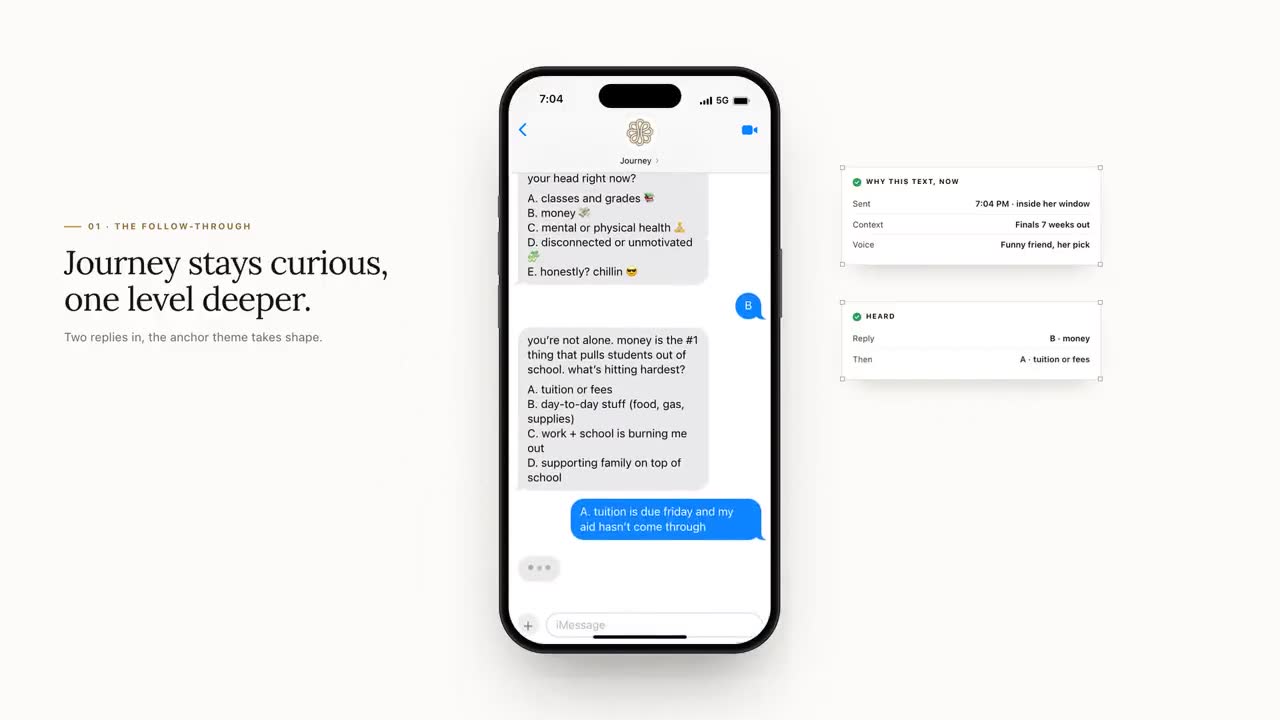
On Journey's partner dashboard, each student's record already holds the themes of her replies (what they were about, not the messages themselves) and whether she's on this week's outreach list. Notes from meetings go in the same place. When the success coach opens her record before calling, the advisor's note from week four is right there, next to the fact that her last two replies were about work hours.
The record becomes the handoff, so nobody has to remember to forward anything, and nobody has to know which version of the file is current.
What belongs in a note, and what doesn't
A shared note is read by colleagues, and records about a student kept by your institution may be ones the student has a right to see. How FERPA and your own policies apply to a given note is a question for your registrar and counsel, but one habit covers most of it: write every note as if the student might read it.
| Write this | Not this |
|---|---|
| Working three nights; wants to look at a later lab section. Follow up after Thursday. | "Seems overwhelmed, probably can't handle a full load." |
| Referred to financial aid about a verification hold; appointment booked. | Her family's income details, copied from a form |
| Connected with counseling at her request. | Anything she or a counselor said in a counseling session |
| Asked for help finding a study group in chem. | Names and details of roommates or friends she mentioned |
Clinical details stay in the counseling center's own records. A note can say a connection was made; it shouldn't say why in medical terms.
A four-line note that works
Long notes don't get read between appointments. Four lines do:
- What we talked about, in plain words.
- What she's doing next, in her terms.
- What we're doing next, with a name and a date.
- Anything the next person should know before they reach out.
Notes in the weekly huddle
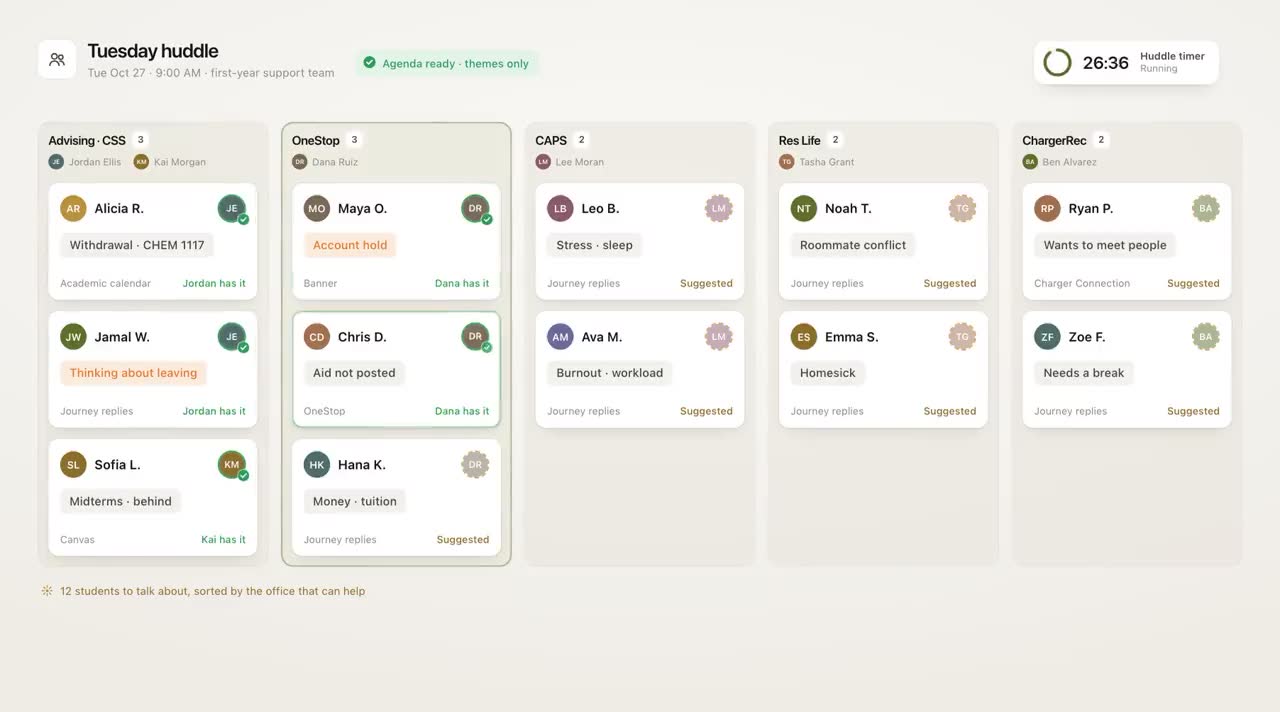
Notes earn their keep in the weekly team meeting, when the question is who needs whom this week. In the demo below, Journey builds the huddle agenda from the week's themes and the team claims an owner for each student before a 30-minute timer runs out. Neither part is in the product yet. What your team can bring today is the dashboard's outreach list and the notes in each record.
For a meeting format that works with or without software, see Running a 30-Minute Weekly CARE Team Review.
How to retire the spreadsheet
- Pick a date. After it, no new rows. Announce it to everyone who edits the file.
- Move only what's open. Students with an active follow-up get a note in their record. Closed history can stay where it is.
- Lock the old file. Make it read-only, so nobody keeps a parallel version going out of habit.
- Check at two weeks. Ask the team where they looked for context last time they called a student. If the answer is the old file, find out what was missing.
The spreadsheet was a workaround for not having one place to look. Once the team has that place and the old file is locked, the tracker has no job left to do.
Frequently asked questions
Is it OK to track at-risk students in a shared spreadsheet?
It's common, but it creates real problems: multiple versions, lost history and student information spreading through email attachments. Your registrar or counsel can advise on how your policies apply. One shared record per student avoids most of these issues.
What should advisors write in student notes?
What you talked about, what the student plans to do next, what you will do next with a name and a date, and anything the next person should know. Keep it factual and write it as if the student might read it.
Should counseling details go in shared student success notes?
No. Clinical details belong in the counseling center's own records. A shared note can say a student was connected with counseling at her request, without saying why.
How do we move off a retention tracker spreadsheet?
Pick a cutoff date for new rows, move only students with open follow-ups into their records, make the old file read-only and check after two weeks whether anyone still relies on it.